
In this article
QuickBooks Online Overview & 2026 Industry Position
QuickBooks Online has long been a pillar in the cloud accounting space. Built by Intuit, it was designed to simplify financial management for small to midsized businesses (SMBs). As of 2026, it stands not just as an accounting tool, but as a full-stack financial operations suite addressing the modern demands of automation, AI-driven insights, and seamless third-party integration. With over 7 million global users, it's a dominant force in the SMB landscape, evolving well beyond just “books.”
From Launch to 2026: QuickBooks Online’s Journey
QuickBooks Online (QBO) was launched in 2001 as a web-based alternative to the original desktop software. Initially targeted at freelancers and mom-and-pop shops, it quickly scaled alongside cloud adoption and the rise of remote financial operations. Key milestones include:
- 2001: Launch of QuickBooks Online
- 2013: Major UX overhaul and global rollout
- 2017: Integration of PayPal, Square, and Shopify
- 2020: AI-featured expense matching and automated reconciliation
- 2023: Embedded banking and real-time tax forecasting
- 2025: Launch of Predictive Cash Flow & Multi-Entity Smart Ledger features
2026 strategy thesis: QuickBooks Online is positioning itself as the central hub for small business finance, blending automation, forecasting, and integration to minimize financial friction at scale.
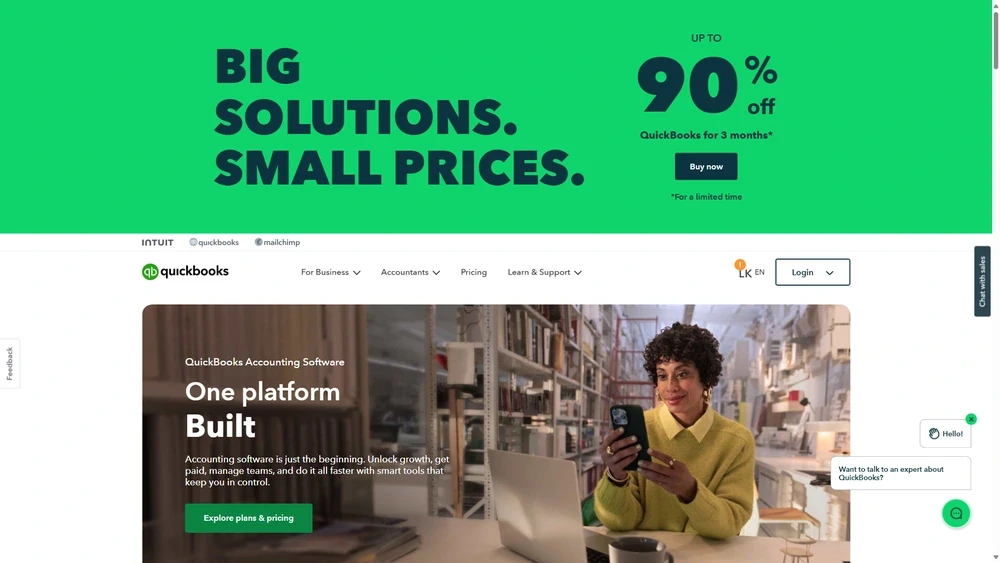
QuickBooks Online Key Features
QuickBooks Online 2025 now offers a robust, modular design that adapts to user type—whether you're a solo entrepreneur, a growing e-commerce brand, or a multi-entity business. Key features include:
- Invoice & Expense Management: Customizable templates, auto-categorization, and receipt scanning via mobile
- Advanced Reporting & Dashboards: Fully customizable financial reports and KPIs
- Predictive Cash Flow: AI-powered forecasting and scenario planning
- Smart Ledger: Supports multi-entity accounting with automated intercompany reconciliations
- Real-time Tax Sync: Automatically syncs with IRS updates and suggests quarterly tax estimates
- Embedded Banking: Manage balances, payments, and transfers inside QBO via QuickBooks Checking
- Payroll & Contractor Payments: 50-state tax compliance, contractor onboarding, and benefit integrations
Workflow & UX
The 2025 interface builds on past usability gains. QuickBooks Online features a minimalistic, tile-based layout that prioritizes frequent actions like invoice creation, reconciliation, and report generation. Improvements include:
- Navigation Ribbon: Now user-customizable by role (accountant, business owner, admin)
- Smart Suggestions: AI recommends related actions during workflows
- One-Touch Integrations: Connect apps like Gusto, Shopify, or Stripe from the task toolbar
Pro Tip: Use the Smart Ledger module if you manage multiple businesses—it reduces cross-entity tally errors and supports consolidated reports automatically.
QuickBooks Online Pricing Analysis & Value Metrics
| Plan | Monthly Price | Key Inclusions |
|---|---|---|
| Simple Start | $25 | Basic invoicing, expense tracking, 1 user |
| Essentials | $55 | 3 users, bill payments, time tracking |
| Plus | $85 | 5 users, inventory, project profitability |
| Advanced | $200 | 25 users, analytics, Smart Ledger, dedicated support |
Assessment: Although pricing has increased since 2024, the inclusion of built-in banking, Smart Ledger, and AI tools adds significant ROI for firms with real accounting needs—not just bookkeeping.

Competitive Landscape
| Tool | Best Fit | Unique Advantages |
|---|---|---|
| FreshBooks | Freelancers & sole props | Time tracking, client billing focus |
| Xero | International businesses | Strong currency conversion, global UX |
| Zoho Books | Zoho ecosystem users | Tight CRM and team collaboration |
| QuickBooks Online | SMBs scaling past DIY bookkeeping | U.S. tax sync, embedded banking, payroll modules |
Use Cases
QuickBooks Online thrives in the following scenarios:
- Service businesses needing project tracking and contractor payments
- E-commerce sellers managing sales tax, inventory, and multi-channel orders
- Multi-entity firms using Smart Ledger and consolidation features
- Consultants billing hourly with time tracking extensions
QuickBooks Online Integrations
Over 750 integrations are supported, including:
- Commerce: Shopify, WooCommerce, Amazon Seller
- Payments: PayPal, Stripe, Square
- Payroll & HR: Gusto, ADP, QuickBooks Payroll
- CRM: HubSpot, Salesforce, Zoho CRM
- Taxes: Avalara, IRS integration, H&R Block Pro
Pros & Cons
- Pros:
- Strong automation and AI tools
- Scales across teams and org sizes
- Tax-ready reporting and updates
- Comprehensive app ecosystem
- Cons:
- Steep learning curve for new users
- Advanced plans can get pricey
- Customer support hours may be limited
Final Thoughts
Whether you're a growing startup or hitting six figures in monthly revenue, QuickBooks Online 2025 offers a refined platform to manage and forecast your finances without hiring a full finance team. It's not the cheapest option, but the value it delivers through automation, integrations, and reliability more than compensates—especially at the Plus and Advanced levels.
QuickBooks Online FAQ
Does QuickBooks Online include payroll features?
Yes, most plans offer easy add-on payroll integration with full 50-state compliance and contractor support.
Is QuickBooks Online suitable for multi-entity businesses?
Yes, the Smart Ledger feature in the Advanced plan supports consolidated financials for multiple entities.
Can I switch from QuickBooks Desktop to Online?
Absolutely. Intuit offers a detailed migration tool and step-by-step guide to transfer your data safely.
What integrations are supported in QuickBooks Online?
Integrations span payments (Stripe, PayPal), e-commerce (Shopify), payroll (Gusto), and CRM (HubSpot, Salesforce).
Can QuickBooks Online automate tax calculations?
Yes, QBO syncs with updated IRS thresholds and provides quarterly and year-end tax estimates.


