In this article
SaneBox Overview & 2026 Industry Position
In an age where information overload is more common than ever, SaneBox stands as a beacon of intelligent email management. Originally designed as a productivity enhancer for overwhelmed professionals, SaneBox has matured into a comprehensive solution that integrates machine learning with intuitive automation to declutter inboxes and help users focus on what matters most. As we step into 2026, SaneBox's strategic focus on AI-assisted workflow, privacy-first filtering, and seamless app integration positions it as a key player in the email productivity and personal assistant software space.
From Launch to 2026: SaneBox’s Journey
SaneBox began in 2010 with a singular goal: make email less painful. Recognizing that most email clients weren’t keeping pace with modern productivity needs, the team developed adaptive algorithms that learn user behavior and prioritize important emails automatically.
Key Milestones:
- 2010 – SaneBox is founded with predictive email filtering via cloud-based algorithms.
- 2013 – Launched “SaneLater” and “SaneBlackHole,” reinventing inbox triage and spam elimination.
- 2017 – Introduced deep integration support for Outlook, Gmail, and IMAP accounts.
- 2020 – Rolled out AI-based digest summaries and Do Not Disturb features.
- 2023 – Deployed Smart Reminders and Attachment Management enhancements.
- 2025 – Focusing on contextual email intelligence and enterprise-ready capabilities with strong API integrations.
The 2026 strategy centers around deeper automation, privacy-centric email insights, and extensibility across calendars, task management apps, and CRM tools.
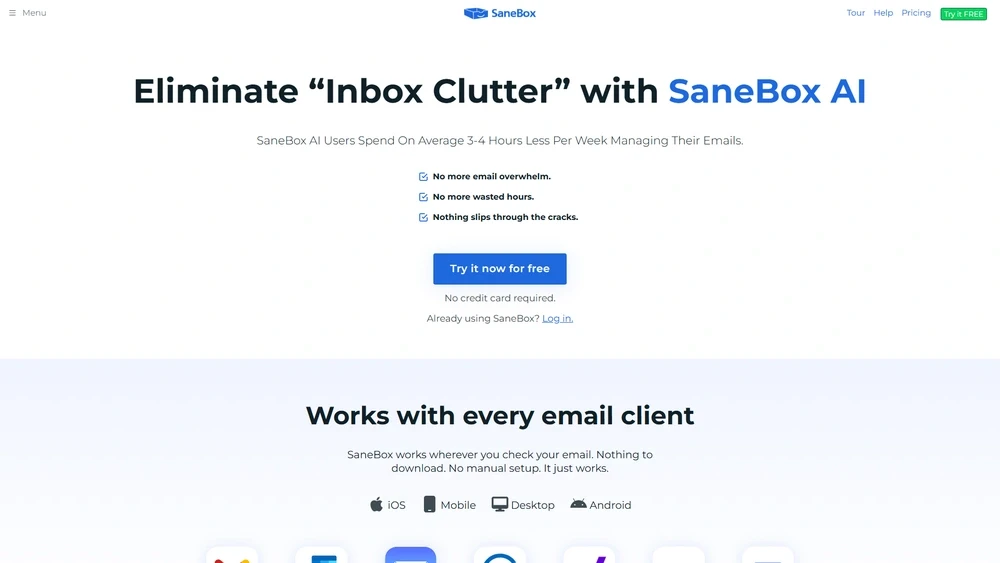
SaneBox Key Features
SaneBox offers a comprehensive set of tools to filter, organize, and triage emails automatically based on user behavior and preferences.
- SaneLater: Filters unimportant emails into a separate folder for later review.
- SaneBlackHole: Banishes annoying senders in one click—no more spam from the same source.
- Smart Reminders: Automatically brings emails back to your attention if no response is received.
- Attachment Management: Find and move large attachments to your cloud storage efficiently.
- Custom Training: Drag and drop to train SaneBox where future emails should go.
- Email Digest: Get a daily summary of what SaneBox filtered.
- Do Not Disturb: Silence your inbox during set hours without missing urgent mail.
Workflow & UX
SaneBox integrates directly with your existing email provider—there’s no separate interface to learn. Users interact mainly by training SaneBox via drag-and-drop or adjusting preferences on the dashboard. Folder-based organization makes it feel native. The web and mobile dashboards offer visual summaries, digest preferences, and account analytics with minimalistic, responsive design. Chrome and Outlook extensions are available to improve visibility.
SaneBox Pricing Analysis & Value Metrics
SaneBox pricing is based on features and number of email accounts. As of July 2026, plans include the following:
| Plan | Monthly (if billed annually) | Features |
|---|---|---|
| Snack | $3.49/mo | 1 Feature, 1 Account |
| Lunch | $5.99/mo | 5 Features, 1 Account |
| Dinner | $14.99/mo | Unlimited Features, 4 Accounts |
| Group (Team) | Custom pricing | 10+ Accounts, Admin Tools |
Assessment: SaneBox delivers exceptional ROI for professionals managing large email volumes. Even the base “Snack” plan can radically improve focus and productivity.

Competitive Landscape
Here’s how SaneBox compares to popular email productivity tools in 2026:
| Tool | Strength | Pricing Start | Ideal For |
|---|---|---|---|
| SaneBox | Smart Filtering, Unified Dashboard | $3.49/month | Professionals, SMBs |
| Clean Email | Bulk cleaning, simpler UI | $7.95/month | Consumers |
| Mailstrom | Volume batching, visual flow | $9/month | Newsletter-heavy users |
| Superhuman | Speed, shortcuts (requires invite) | $30/month | Executives, tech-savvy users |
Use Cases Where SaneBox Excels
- Startup Teams: Shared folders and digest tools reduce volume fatigue.
- Business Consultants: Stay on top of high-priority clients using automatic filtering and follow-up reminders.
- Remote Workers: Do Not Disturb and Smart Filtering help reclaim distracted time.
- Customer Support Leads: Prioritize urgent client queries over promotions.
Integrations That Enhance Utility
- Email Clients: Gmail, Outlook, Apple Mail, IMAP
- Cloud Storage: Dropbox, Google Drive, Box
- Workflow Apps: Slack, Asana, Trello (via Zapier)
- CRM Platforms: HubSpot, Salesforce (custom integrations)
Pros & Cons of SaneBox
- Pros:
- No new interface—works within your current inbox
- Lightning-fast setup with instant results
- Ongoing learning = better performance over time
- Flexible integration with productivity stacks
- Cons:
- Not useful for very light email users
- Some advanced features locked behind higher plans
- No native mobile app (uses email client folders)
Pro Tip: Spend 10 minutes training SaneBox at signup—dragging messages teaches it faster and improves filtering quality instantly.
Final Thoughts on SaneBox
If you receive more emails than you can manually manage, SaneBox users consistently report focus gains of 1–2 hours/day. It’s not email client software—it’s an autonomous assistant for your inbox. Whether you're a solopreneur, COO, or someone tired of reply-all hell, SaneBox fits seamlessly into existing workflows without demanding radical behavior change.
SaneBox FAQ
Does SaneBox work with Gmail and Outlook?
Yes, SaneBox is compatible with Gmail, Outlook, Apple Mail, and any IMAP-based email service.
Is my data safe with SaneBox?
Yes, SaneBox does not store your email—only metadata—and adheres to strict security protocols, including TLS/SSL encryption.
Can I cancel anytime?
Yes. SaneBox subscriptions are cancelable at any time without penalties. Refund policies vary based on plan terms.
Does SaneBox offer team plans?
Yes, there is an enterprise-ready team plan with centralized admin access, bulk licensing, and API-level control.
Is there a free trial?
Yes, SaneBox offers a 14-day free trial with full feature access so users can experience the full utility before paying.