In this article
Dropboard Overview & 2026 Industry Position
Dropboard has positioned itself as a next-generation project and workflow management platform purpose-built for the evolving needs of hybrid and remote teams. It’s not just another task management tool; Dropboard’s modular board-based system combines real-time collaboration, advanced automation, and unparalleled customizability. In 2026, it’s recognized as a go-to choice for mid-size teams and scaling startups who need more than basic task boards but aren’t ready for full-blown enterprise suites.
From Launch to 2026: Dropboard’s Journey
Launched in 2019 by a team of ex-Atlassian and Figma engineers, Dropboard was initially pitched as “Trello meets Slack for freelancers.” It quickly pivoted to serve product and marketing teams in tech startups. Key milestones include:
- 2020: Launches v1 with collaborative kanban boards and real-time sync.
- 2021: Series A funding; user base surpasses 100K.
- 2022: Adds modular widgets and conditional logic; adopted by first Fortune 500 team.
- 2023: Introduces Dropboard Automations and AI-powered board suggestions.
- 2024: Integrates IRL-meeting syncs, expanding into hybrid workforce solutions.
With 2025, Dropboard scales as a flexible alternative to rigid enterprise PM tools, prioritizing UX adaptability and multi-system interoperability.
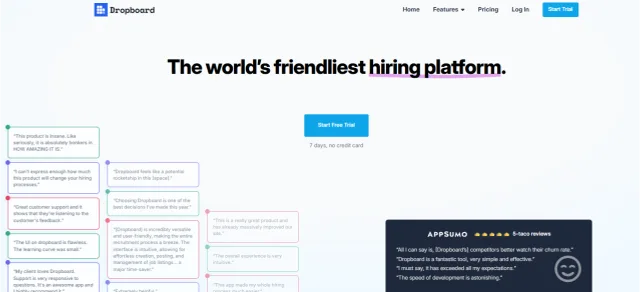
Dropboard Key Features
Dropboard stands out with a toolkit designed for real-time, modular collaboration. Key 2025 features include:
- Interactive Modular Boards: Drag-drop modules for task lists, charts, notes, and files.
- Dropboard Automations: Rule-based triggers (e.g., move card, notify Slack) with AI suggestions.
- Shared Dashboards: Customizable views for external partners and internal execs.
- Integrated Calendar & Status Sync: Keeps projects aligned with Google or Outlook calendars.
- Multiplayer Mode: Real-time editing, typing indicators, and collaborative reactions in workflows.
- Embedded AI: Task labeling, effort estimation, and project timeline forecasting.
Workflow & UX Design
Dropboard impresses with an intuitive experience built on live updates and contextual navigation. Key UX highlights:
- Instant-onboarding with AI board templates tailored to user team size.
- Keyboard-first shortcuts for fast navigation and task handling.
- Side-dock previews to view documents or cards without leaving the main board.
- Smart grouping by tag, date, or person, with alternate views (Gantt, swimlane, list).
Dropboard Pricing Analysis & Value Metrics
Pricing as of July 2026 is divided into clear tiers:
| Plan | Monthly (USD) | Key Inclusions |
|---|---|---|
| Free Forever | $0 | 3 boards, 2 integrations, 500 MB storage |
| Growth | $12/user | Unlimited boards, automations, integrations, 10 GB storage, AI assistant |
| Team Pro | $20/user | Private workspaces, advanced permissions, analytics, admin insights |
| Enterprise | Custom | SAML, IP allowlisting, security audit logs, dedicated support |
Value Take: Growth tier delivers strong ROI for startups. Pro becomes essential as team complexity and compliance needs increase.

Competitive Landscape
| Platform | Strength | Ideal User |
|---|---|---|
| Asana | Structure-first timelines | Enterprise process teams |
| Notion | Document-task fusion | Content-centric knowledge teams |
| ClickUp | All-in-one ambition | Agile tech startups |
| Dropboard Teams | Live collaboration with modularity | Visual-first fast-moving teams |
Real-World Use Cases
- Marketing agencies syncing assets, timelines, and external comments.
- Design teams reviewing creative with embedded Figma previews.
- Ops managers automating recurring task lists and approvals.
- Founders building MVP roadmaps with milestone forecasting.
Dropboard Integrations
Dropboard connects with 40+ apps, placing it squarely inside modern workflows:
- Slack & Teams: Send task or board updates via chat integrations.
- Google Drive, Notion, Figma: Collaborate on embedded file previews.
- Zapier & Make: Expand automations across thousands of apps.
- Monday, Jira, Trello Import: Smooth migration paths via native importers.
Pros & Cons
- ✅ Modular flexibility: Projects evolve without rebuilding structures.
- ✅ Live collaboration suite: Remote teams feel truly synced.
- ✅ Smart automation + AI: Thoughtful, not bloated.
- ⚠️ Learning curve: Beginners may need training on modular layouts.
- ⚠️Mobile UX: Capable but less fluid vs desktop.
- ⚠️Limited offline mode: Not ideal for low-connectivity teams.
Pro Tip: Use AI Heatmap Forecasts to redistribute workloads during large cycles or launches—especially handy during product or campaign sprints.
Final Thoughts
If your team lives inside Gantt charts or your org depends on legacy IT platforms, Dropboard may feel unfamiliar. But for fast teams who need modularity, instant updates, and deep integrations—especially across product, marketing, and operations—this platform’s 2025 iteration nails the balance of power and simplicity. Scaling companies should prioritize it during their PM stack reviews.
Dropboard FAQ
Does Dropboard offer a free plan?
Yes, the Free Forever plan includes essential boards and integrations with a 500MB storage cap.
Can Dropboard integrate with Slack?
Absolutely. Dropboard integrates natively with Slack to send board alerts and link previews directly into your channels.
Is Dropboard suitable for enterprises?
Yes—Enterprise plans include SAML support, audit logs, and dedicated security reviews needed for enterprise compliance.
What makes Dropboard different from ClickUp?
Dropboard is more modular and emphasizes real-time collaboration, with less clutter and a smoother mobile experience.
Can I migrate from Trello to Dropboard?
Yes, there is a native importer that maps Trello cards, checklists, and labels directly into Dropboard boards.