In this article
Canva Overview & 2026 Industry Position
Canva has transformed from a simple design tool into a globally recognized visual communication powerhouse. In 2026, it stands at the intersection of creativity and productivity, merging intuitive design capabilities with business-focused features like brand governance, real-time collaboration, and AI-powered content generation. With over 170 million users globally and expanding enterprise adoption, Canva remains a dominant force in democratizing design for professionals and non-designers alike.
From Launch to 2026: Canva’s Journey
Launched in 2013 by Melanie Perkins, Cliff Obrecht, and Cameron Adams, Canva began as a solution to make graphic design accessible to everyone. What started as a browser-based design app for everyday users quickly scaled into a multipurpose platform.
- 2013: Canva launches in beta with drag-and-drop editing.
- 2015: Introduced the Canva for Work suite for businesses.
- 2019: Surpassed 15 million users, added video editing tools.
- 2021: Reached a $40B valuation, acquired several creative startups.
- 2023: Rolled out Magic tools (text-to-image, text-to-video, etc.).
- 2024: Canva Docs and Canva Whiteboard received major upgrades.
Canva’s 2026 strategy focuses on scaling up enterprise adoption through advanced team collaboration features, expanding its AI-assisted design tools, and deepening integration with key business software ecosystems.
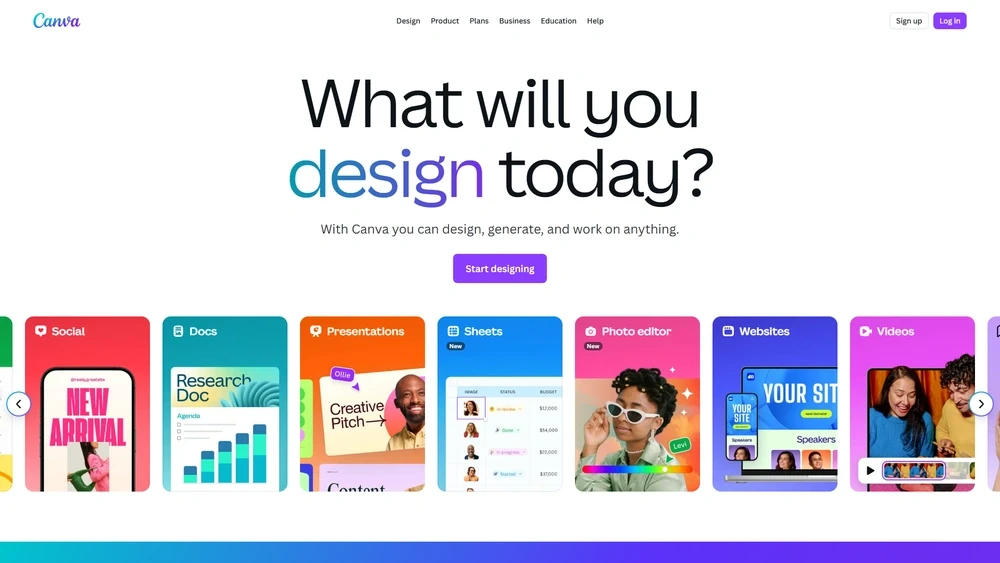
Canva Key Features
Canva offers a rich suite of features designed to serve solopreneurs, educators, large brands, and marketers alike. Key highlights:
- Magic Studio: AI tools for generating copy, converting formats, and removing backgrounds.
- Canva Docs: Multimedia documents infused with design elements and embeddable assets.
- Brand Hub: Controls for logos, fonts, colors, and branded templates.
- Whiteboards: Collaborative brainstorming with real-time drawing and sticky notes.
- AI Photo Edit Tools: Includes magic eraser, auto-retouch, and color matcher.
- Video Studio: Timeline editing, auto-subtitling, and template-driven videos.
Workflow & UX
Canva’s interface is one of the most intuitive in design software history. Users can drag, drop, resize, layer, and edit text or images without prior design training. The left-aligned toolkit, smart snapping, and real-time comments make collaboration smooth. A consistent cross-device experience—on browser, tablets, and mobile—further streamlines workflows.
Pro Tip: Use Brand Hub + Magic Studio together to auto-apply your visual identity across all new projects instantly.
Canva Pricing Analysis & Value Metrics
As of July 2026, Canva offers four core pricing plans:
| Plan | Price | Features | Best For |
|---|---|---|---|
| Free | $0 |
| Personal use |
| Pro | $14.99/month |
| Small businesses |
| Teams | $29.99/month (first 5 users) |
| Design teams |
| Enterprise | Custom pricing |
| Large organizations |
Value Call: For SMBs and teams, Canva Pro and Teams offer high ROI with advanced templates, automation, and governance options at a low monthly cost.

Competitive Landscape
| Tool | Main Perks | Price | Ideal Users |
|---|---|---|---|
| Canva | Ease of use, AI & branding tools | $0–Custom | Everyone |
| Adobe Express | Pro-level edits, Adobe ecosystem | $9.99/mo | Design-savvy creators |
| Visme | Interactive content focus | $12.25/mo | Presenters, educators |
| Crello (VistaCreate) | Simple video + templates | $10/mo | Solo creators |
| Figma | UI/UX fidelity, team design | $15+/mo | Product teams |
Canva Integrations
Canva supports over 100+ integrations across categories:
- Cloud & Storage: Google Drive, Dropbox, OneDrive
- Publishing: WordPress, HubSpot, Mailchimp, Buffer
- Productivity: Slack, Zoom, Microsoft Teams
- E-commerce: Shopify, Etsy, Amazon
- Developer APIs: For embedding and plugin creation
Industries & Use Cases
Canva thrives in varied sectors. Top value applications include:
- Education: Learning modules, student flyers, infographics
- Marketing: Ad creatives, social carousels, branded videos
- SMBs/E-Commerce: Product catalogs, signs, client proposals
- Enterprises: Global content localization, compliance branding
- Non-profits: Fundraising visuals and advocacy campaigns
Pros & Cons
- Pros:
- Ease of use, minimal learning curve
- Generative AI content capabilities
- Powerful Brand Hub governance
- Robust integration ecosystem
- Flexible plans for any team size
- Cons:
- Limited offline capabilities
- Enterprise pricing not transparent
- Some AI tools are still experimental
Final Thoughts
Whether you're a content marketer, small shop owner, teacher, or global brand manager, Canva offers tools to simplify design without cutting corners. Its fusion of automation, UI simplicity, and enterprise-level features make it a must-consider in 2026. Those needing pixel-perfect control may still lean into Adobe Creative Cloud, but for most use cases, Canva delivers innovation with scale.
Canva Q & A
Is Canva suitable for professional designers?
Yes. While Canva is often used by non-designers, many pros leverage it for quick mockups, internal materials, and team collaboration.
Does Canva support video content in 2026?
Absolutely. Video editing, motion graphics, and auto-subtitling are all part of the Canva video suite.
Can I use Canva offline?
Canva requires internet access for full functionality. Some mobile features may work offline temporarily when enabled.
What file types can Canva export?
Canva exports to PNG, JPG, PDF (standard/print), SVG, MP4, GIF, and even PPTX in Docs mode.
How secure is Canva for enterprise users?
Canva offers SSO, data encryption, SOC2 compliance, and admin controls, making it viable for security-conscious organizations.