In this article
GMass Overview & 2026 Industry Position
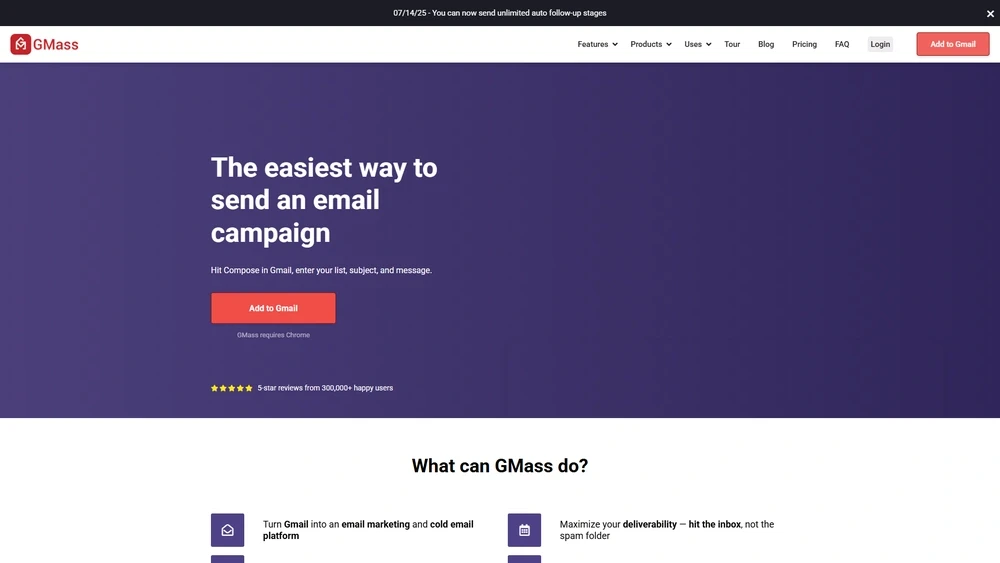
GMass is a powerful email marketing automation tool built for Gmail users, especially favored by businesses engaged in outbound email campaigns. Whether you’re a sales rep reaching prospects or a startup founder managing email lists, GMass empowers users with advanced outreach capabilities directly from their existing Gmail accounts. As the email automation market grows massively in 2026, GMass stands out as a preferred solution for those who want robust personalization without leaving their inbox.
Where traditional platforms often require clunky interfaces or steep learning curves, GMass merges intuitive design with high-end delivery features. In today’s AI-enhanced marketing world, GMass's native Gmail synergy, advanced scheduling, built-in mail merge, and domain warming capabilities are incredibly relevant — especially for SMBs and agencies scaling cold outreach at volume.
From Launch to 2026: GMass’s Journey
GMass launched in 2015 as a Gmail plugin focused on simplifying mass emailing for the everyday user. Initially popular among journalists and recruiters, the tool rapidly expanded its feature set to include automated follow-ups, personalization through Google Sheets, and analytics tracking.
- 2016: One-click Gmail integration and mail merge via Google Sheets debuts.
- 2018: Autoresponder and follow-up sequences introduced.
- 2020: Email scheduling with recipient-level control added.
- 2022: Native domain warming and Spam Solver tools rolled out.
- 2023: SMTP sending added, bypassing Gmail sending limits.
- 2025: AI drafting feature and smart campaign scoring released — ushering in intelligent, automated list segmentation and QA checkpoints.
2026 Strategy: GMass aims to be the fastest go-to-market email engine for lean teams — combining Gmail-native agility with AI-powered personalization at scale.
GMass Key Features
GMass packs enterprise-level features into a consumer-grade interface. These standout capabilities drive its 2025 relevance:
- Google Sheets Integration: Use rows as email lists and map directly to merge fields.
- Auto Follow-Ups: Schedule personalized sequences based on recipient opens, clicks, or replies.
- Inbox Send: All emails come from your actual Gmail inbox, boosting deliverability and authenticity.
- SMTP Sending: Allows sending high-volume campaigns while avoiding Gmail limits.
- Spam Solver: Analyze your campaign for spam triggers before hitting send.
- AI Subject Generator: Create high-converting subject lines algorithmically smart.
- Campaign Reports: Open rates, click-throughs, replies, bounce details — all tracked in real time.
Workflow & UX
Using GMass feels like a natural extension of Gmail. Upon install, it introduces intuitive buttons directly into your Gmail compose window. Users can:
- Add lists from Google Sheets with a click.
- Launch campaigns straight from the draft.
- Preview personalization and sequence steps before sending.
Its seamless placement within Gmail reduces onboarding time and makes it a favorite for non-technical marketers. Advanced users can tap into robust features like auto-pause on replies, spam warning previews, and custom tracking domains — all without leaving their inbox.
GMass Pricing Analysis & Value Metrics
Pricing as of July 2026 (billed monthly, per user):
| Plan | Monthly | Features |
|---|---|---|
| Standard | $24.95 | Campaign sending, auto follow-ups, basic analytics |
| Premium | $34.95 | All Standard + sequences, scheduling, email validation, Spam Solver |
| Enterprise | $49.95 | All Premium + SMTP sending, dedicated support, seat control |
Value Analysis: GMass offers exceptional ROI for any user segment needing cold outreach volume at scalable pricing. Gmail-native simplicity plus automation reduces the need for external CRMs or copy-paste workflows.
Pro Tip: Maximize delivery by combining SMTP sending with GMass domain warming — ideal for high-volume agencies.

Competitive Landscape
GMass competes with both CRM-based email platforms and Gmail add-ons. Here’s how it stacks up:
| Tool | Strengths | Weaknesses |
|---|---|---|
| Mailshake | CRM integration, outreach tracking | Higher pricing, steeper learning |
| Woodpecker | User-friendly B2B campaigns | No Gmail-native interface |
| GMass | Gmail-based, high deliverability, budget-friendly | Limited visual editor |
Use Cases Where GMass Excels
- Sales Outreach: SDRs orchestrating follow-up sequences without third-party CRMs.
- Journalism: Mass pitching via personalized merge tags in Gmail.
- Nonprofits: Event invites and fundraising updates to segmented lists.
- Recruiting: Candidate follow-ups streamlined into Gmail workflows.
- Startups: Efficient cold emailing for partnerships or early traction growth.
GMass Integrations & Ecosystem
- Google Sheets: Structured contact data integration.
- Salesforce CRM (via Zapier): Dynamic data syncing.
- Slack: Notifications for campaign triggers.
- SMTP Platforms: Mailgun, SendGrid, Amazon SES for higher throughput.
The ecosystem is especially advantageous for startups seeking to optimize workflows without paying for bulky CRMs or project software.
Pros & Cons
- Pros: Gmail-native; affordable pricing tiers; rapid onboarding; powerful automation; deliverability tools included.
- Cons: Limited team collaboration tools; lacks a visual campaign builder; no mobile app.
Final Thoughts
GMass delivers maximum outreach impact for the price, especially for users already embedded in Gmail. The combination of personalization tools, automation sequences, and deliverability-focused features is unmatched at this price point. While larger marketing teams may miss a visual campaign builder or shared inboxes, GMass's edge lies in speed, flexibility, and simplicity for cold outreach pros.
GMass FAQ
Is GMass safe to use with Gmail accounts?
Yes. GMass operates using Google's official API and OAuth access, ensuring security and compliance with Gmail's policies.
Can GMass send emails from multiple Gmail accounts?
Yes, GMass supports multiple Gmail accounts — each requires a separate license but can be managed individually.
What happens if I exceed Gmail’s sending limits?
GMass will automatically throttle sends or pause your campaign until limits reset. Premium plans offer SMTP sending to bypass these limits.
Is there a free trial available?
GMass offers a limited free plan, capped by Gmail’s send limits. For full functionality, a paid plan is required.
Does GMass support HTML email templates?
Yes. Users can compose or paste custom HTML into Gmail, and GMass will preserve formatting and code structures when sending.