In this article
WebCatalog Overview & 2026 Industry Position
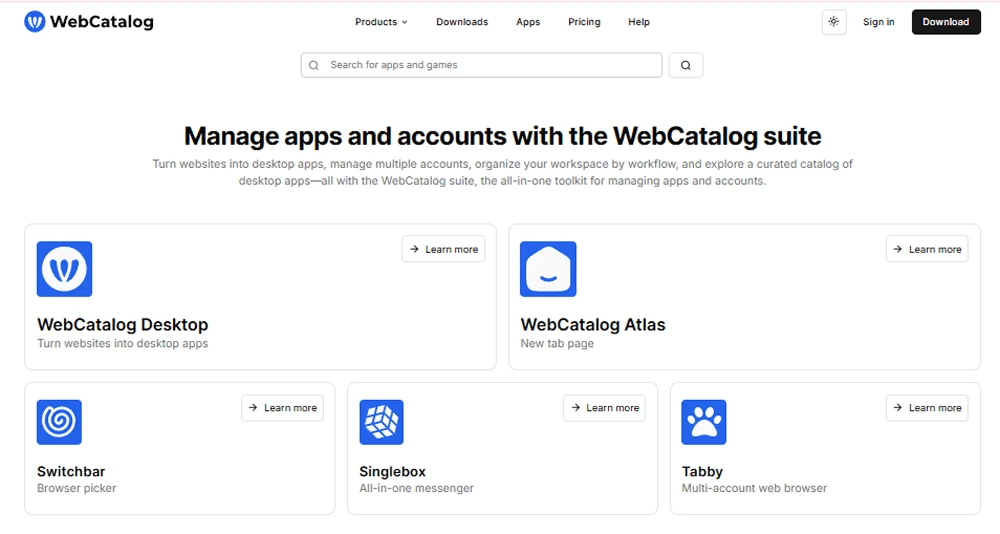
WebCatalog transforms any web app into a standalone desktop application, delivering a powerful way for users to manage workflows without browser clutter, tab overload, or distractions. In 2026, it’s more than a web-wrapper; it’s a centralized productivity hub for power users, remote professionals, and enterprise teams. With the rise of SaaS sprawl and hybrid app ecosystems, WebCatalog helps simplify how users access, switch, and secure web-based tools.
Headquartered in San Francisco, WebCatalog has quickly grown from a developer-focused utility into a cross-platform tool adopted by solopreneurs and global teams alike. Its popularity is fueled by simplicity, deep customization, and standout session isolation—critical features in a multi-account work world.
From Launch to 2026: WebCatalog’s Journey
WebCatalog launched in 2017 as an open-source desktop wrapper based on Electron. In 2019, it introduced a premium version with app catalog support. The 2020s fueled growth as users sought better multitasking and session control. Key milestones include:
- 2018 – Initial version based on Electron framework
- 2020 – Launch of Spaces for workspace management
- 2022 – Native app support for macOS, Windows & Linux
- 2023 – ISO-contained sessions + multi-profile work
- 2024 – Cloud sync and team deployment options
In 2026, WebCatalog is positioning itself as the definitive platform for browser app productivity—balancing privacy, performance, and cross-app superpowers.
WebCatalog Key Features
- Custom App Creation – Turn any website into a separate desktop app in 2 clicks
- Spaces – Organize apps by context (Work, Personal, etc.) for focused productivity
- Session Isolation – Run multiple accounts of the same app without mixing sessions
- Auto Launch & Notifications – Stay in flow with native notifications and app startup behaviors
- Catalog Integration – 2,000+ prebuilt web apps across categories like CRM, AI, dev tools
- Private Browsing Mode – Apps run without history tracking or cookie carries
Workflow & UX
Using WebCatalog is intuitive by design—ideal for non-technical users while powerful enough for devs and pros. Launching a new app requires minimal friction:
- Paste or choose from 2,000+ supported URLs
- Name and assign it to a Space
- Optionally enable notifications or launch at login
The interface mirrors native desktop software. Apps feel autonomous with dock/taskbar presence, Cmd/Ctrl switching, and native modal support. Multitaskers appreciate the lack of tab overload. Color mode sync, icon theming, keyboard binds, and password-less app lock elevate the utility across Mac, Windows, and Linux systems.
WebCatalog Pricing Analysis & Value Metrics
| Plan | Monthly (USD) | Annual (Billed Yearly) | Highlights |
|---|---|---|---|
| Free | $0 | $0 | 1 custom app, basic Spaces, limited updates |
| Pro | $7.99 | $4.99/mo | Unlimited apps, isolation, cloud sync, 2 Spaces |
| Team | — | From $59.88/user | Admin controls, deploy tools, priority support |
Value Verdict: For power users juggling multiple logins or tab fatigue, the Pro tier pays for itself in week one. Teams running SaaS dashboards or customer platforms benefit from security and context toggling.

Competitive Landscape
WebCatalog’s main competitors include:
- Franz – Best for messaging apps; lacks browser app flexibility
- Rambox – Strong for team usage; pricier and bulkier UX
- Wavebox – Full browser replacement; narrower appeal to devs/teams
- Nativefier – Technical setup; open-source DIY alternative to WebCatalog
WebCatalog Pro/Team hits sweet spots for freelancers, BD teams, SaaS support desks, and privacy-centric users needing fast session switches.
Use Case Scenarios
Top user groups that thrive with WebCatalog:
- Freelancers juggling multiple client dashboards (Google Analytics, Slack, Stripe)
- Remote teams using separate accounts for Zoom, Notion, and CRM tools
- Personal tech users wanting clean Spotify, Gmail, and ChatGPT interfaces
- Sales and BD Pros managing 3+ LinkedIn, Hunter, HubSpot instances
Integrations & Ecosystem
While WebCatalog itself doesn’t “integrate” in the traditional SaaS connector sense, it enables seamless access to tools that do, including:
- Over 2,000 web apps (Google Suite, Notion, Airtable, Salesforce)
- Productivity: Trello, ClickUp, Zapier, Calendly
- Communication: Slack, Zoom, Microsoft Teams
- AI & Dev Tools: ChatGPT, GitHub Copilot, Postman
Browser-based tools gain modal freedom, popup support, and productivity focused UI through WebCatalog’s desktop transformations.
Pros & Cons
Pros
- Elegant session isolation across all apps
- No browser noise or distracting tabs
- Cross-platform (macOS, Windows, Linux)
- Frequent updates; secure sandboxing
- 2+ accounts per app—ideal for pros
Cons
- Pro version required for full value
- No mobile edition (desktop-only)
- No deep plugin/API integrations across apps
Final Thoughts
Whether you’re managing client portals or juggling personal vs. professional logins, WebCatalog Pro dramatically improves focus and speed. It’s not reinventing browsers—it’s optimizing them for the desktop-first future. If your productivity crashes under too many tabs or shared cookies, this app-first UX is a quiet revolution. Teams needing governance and streamlined workflows will appreciate the premium tier’s admin and deployment tools.
Pro Tip: Use Spaces to create “focus zones” for each job/client—and pin your most-used tools for instant Cmd-Tab switches.
WebCatalog FAQ
Can I use WebCatalog offline?
Most web apps require a connection, but WebCatalog apps launch even with limited connectivity. Functionality depends on the site itself.
Does it work on Linux?
Yes—WebCatalog supports Linux along with Windows and macOS. App state and isolation features are consistent across platforms.
Is browser history shared across apps?
No—each WebCatalog app runs in a sandboxed environment with its own cookies and browser state.
Can I install Chrome extensions?
No—WebCatalog apps do not support Chrome extensions. They're focused on encapsulating web apps without the browser interface.
How many apps can I create?
With WebCatalog Free, you’re limited to one custom app. The Pro plan offers unlimited app creation.