In this article
Tableau Overview & 2026 Industry Position
Tableau has long been recognized as a leader in visual analytics, offering powerful solutions for data visualization, BI reporting, and enterprise decision-making. Now, as we move through 2025, the platform extends its legacy with a pivot toward smarter, AI-augmented storytelling, tighter Salesforce integration, and accessible tools for both data specialists and general business users. Tableau thrives in a rapidly expanding analytics market, driven by surging demand for real-time insights and enterprise-wide data democratization.
From Launch to 2026 Journey
Founded in 2003 out of Stanford University, Tableau set out to change how people made sense of raw data. Major milestones include:
- 2008 – Launch of Tableau Public, broadening access to visualization tools.
- 2013 – IPO on the NYSE; an early signal of the rising importance of analytics platforms.
- 2019 – Acquired by Salesforce for $15.7 billion, signaling integration into one of the world’s largest CRM ecosystems.
- 2022 – Tableau Cloud becomes the primary deployment focus, emphasizing SaaS readiness.
- 2024 – Launch of Tableau Pulse, empowering real-time alerting and anomaly detection across enterprise data landscapes.
Now in 2026, Tableau’s strategy centers around unified data experiences with an AI-first approach, further embedding analytics into enterprise workflows and citizen-developer contexts.
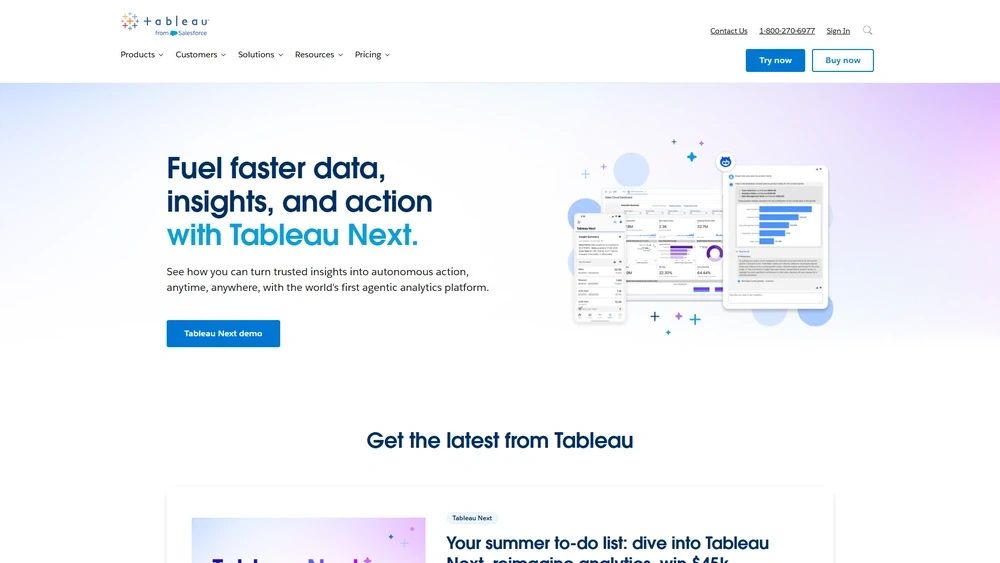
Tableau Key Features
Tableau’s strength lies in bridging complexity with usability — here are the standout capabilities as of 2026:
- VizQL-powered Dashboards: Drag-and-drop visual experiences built on robust query performance.
- Tableau Pulse: AI-driven alerts and real-time monitoring across all Tableau views.
- Advanced Forecasting: Predictive analytics fueled by Einstein Discovery and ML algorithms.
- Tableau Public Revamped: Enhanced sharing and embeddability for data storytelling.
- Ask Data + Explain Data: Natural language querying and AI explanations for spike/trend causes.
- Hyper In-Memory Engine: Agile, columnar storage for fast query throughput at scale.
Workflow & UX
Tableau’s 2025 UX philosophy centers around intuitive data interactions — with clean layouts, responsive controls, and guided analytics flows. Recent UX enhancements include:
- Dynamic zone visibility and layout containers for responsive UI design.
- Deep Salesforce workspace embedding — opening Tableau inside Slack, Customer 360, or Reports.
- Simplified publish-to-Web and mobile performance optimizations.
Pro Tip: Pin your most important metrics with Tableau Pulse to receive real-time Slack or Teams updates when thresholds are crossed or anomalies detected.
Tableau Pricing Analysis & Value Metrics
As of July 2026, Tableau offers three license types, each with distinct capabilities:
| Plan | User Type | Monthly Cost | Key Features |
|---|---|---|---|
| Viewer | Read-only | $15/user | Dashboard access, mobile view, Slack notify |
| Explorer | Light creator | $42/user | Ad-hoc analysis, saved views, browser authoring |
| Creator | Full author | $70/user | Dashboard building, data prep, ML modeling |
Overall value is high for mid-to-large organizations seeking robust self-serve analytics. Explorers unlock the platform's depth without a steep cost increase, while Creators benefit from full integration with Salesforce Einstein capabilities.

Competitive Landscape
| Platform | Strength | Weakness | Best For |
|---|---|---|---|
| Power BI | Deep Microsoft integration | UI complexity | Microsoft-centric teams |
| Looker | Semantic modeling | Less intuitive visuals | Data engineering teams |
| Tableau Creator | Visual depth, AI tools | Higher cost | Medium-large enterprise |
Common Use Cases
- Healthcare operations monitoring via predictive dashboards.
- Sales performance and churn forecasting in SaaS firms.
- Retail inventory optimization using demand trends.
- Governments visualizing civic data for transparency.
- Supply chains monitoring KPIs across divisions and geos.
Tableau Integrations
Tableau works fluidly with over 75 third-party systems, including:
- Salesforce CRM: Native dashboards and report embedding.
- Google BigQuery: Direct SQL connections and refresh strategies.
- Snowflake & Redshift: Fast connectors with governance options.
- Slack: Embedded alerts, Pulse notifications, and Viz previews.
- ServiceNow, Jira, Shopify, SAP: Dashboard-ready connectors.
Tableau Pros & Cons
- Pros:
- Market-leading visuals with interactive depth
- AI-powered insights via Pulse and Explain Data
- Salesforce-native workflows and SSO
- Flexible deployment: Cloud, Server, Desktop
- Cons:
- Steeper learning curve than Power BI
- Premium pricing for Creators
- Limited native ETL capabilities vs competitors
Final Thoughts
Tableau remains a pillar in enterprise analytics, best suited for organizations that value insightful visual storytelling and integrated AI tools. While pricing may deter budget-constrained teams, the return on investment for medium to large enterprises is notable. Tableau Explorer and Pulse features bring much-needed value for operations and team leads, while Creators unlock the full spectrum of embedded and modeled insights.
Tableau FAQ
What is Tableau Pulse?
Tableau Pulse is a real-time alerting system that uses AI to notify users of anomalies, trend shifts, or key metric changes in Slack, email, or dashboards.
Is Tableau only for enterprise companies?
While Tableau is enterprise-ready, small to mid-sized businesses can benefit through the Explorer tier or Tableau Public for lighter use cases.
Does Tableau work with Excel?
Yes, Tableau integrates seamlessly with Excel files, enabling drag-and-drop visualization on spreadsheets and formulas.
What's the difference between Tableau and Power BI?
Power BI is tightly integrated with Microsoft Office and lower in cost; Tableau offers superior visuals and AI capabilities but has a steeper learning curve.
How does Tableau use AI in 2026?
Tableau uses AI to generate natural language explanations, detect metric shifts, suggest visualization types, and alert users of anomalies via Tableau Pulse.