In this article
Animoto Overview & 2026 Industry Position
Animoto delivers a streamlined, cloud-based platform for video creation that enables users of all skill levels to design professional videos efficiently. Positioned within the growing market of visual content tools, Animoto has tailored its solution to meet the demands of creators, marketers, small businesses, and enterprise teams seeking both ease and output quality in 2026.
With intuitive drag-and-drop features, extensive media libraries, and AI-assisted video editing tools, Animoto offers a unique blend of simplicity and capability. In 2026, Animoto's strategic emphasis is on operational speed, AI integrations, and fully responsive video outputs across all platforms — making it an ideal tool for omnichannel campaigns.
From Launch to 2026: Animoto’s Journey
Founded in 2006, Animoto began as a simple slideshow tool for consumers. By 2012, the platform had pivoted to serve commercial users, launching tools to support Facebook video ads and business-centric storytelling. Between 2016–2020, Animoto released key drag-and-drop enhancements and expanded stock media access.
Milestones:
- 2006 — Animoto launches as consumer video tool
- 2012 — Business video features introduced
- 2016 — Complete drag-and-drop revamp
- 2018 — Real-time aspect ratio switching added
- 2021 — AI-assisted storyboard templates debut
- 2024 — Animoto integrates generative text-to-video capabilities
For 2026, Animoto is positioning itself as the go-to video platform for marketers who demand speed, consistency, and scalability in branded video content.
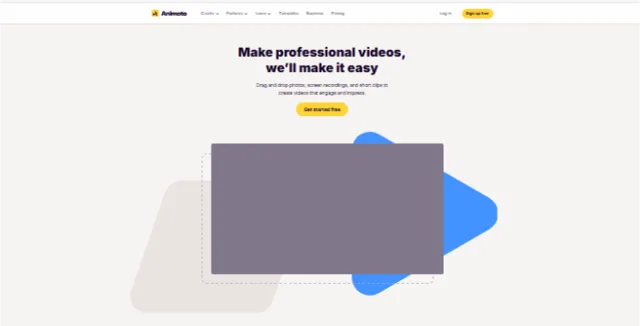
Animoto Key Features
Animoto offers an easy-to-use video editor built around customizable templates, AI-powered smart features, and seamless social media publishing. Its user-friendly platform supports solo creators and marketing teams alike.
- Drag & Drop Editor: Simplified timeline-style editing
- AI Templates: Auto-created storyboards based on campaign goals
- Music & Stock Library: Over 1 million assets included
- Voiceover Support: Record or upload VO directly in app
- Social Formats: Supports vertical, horizontal, or square
- Brand Presets: Custom kits with fonts, colors, and watermarks
Workflow & UX
Animoto is known for its clean, responsive user interface. The onboarding flow is task-oriented, guiding users to publish a video in under 15 minutes, even with no editing experience.
Notable UX Traits:
- Step-by-step video builder reduces cognitive friction
- Mobile-responsive editor for quick changes on the go
- Instant social previews save time and failed posts
Pro Tip: Use Animoto brand kits to ensure consistent design across all campaign videos — especially handy when coordinating team members and freelancers.
Animoto Pricing Analysis & Value Metrics
As of July 2026, Animoto offers three main pricing tiers. All plans are billed annually and include unlimited cloud storage, auto-save, and HD exports.
| Plan | Annual Price | Key Features |
|---|---|---|
| Basic | $98/year | 720p videos, 50+ templates, Animoto watermark |
| Professional | $244/year | 1080p, custom branding, 1M+ stock assets |
| Team | $510/year | 3+ seats, shared libraries, collaboration tools |
Assessment: The Professional tier offers high value for solopreneurs; the Team tier is competitively priced for agencies and SMEs needing shared workflows.

Competitive Landscape
Animoto competes in a saturated market, including AI-based video generators and traditional editors. Here's how it compares:
| Product | Strengths | Best For |
|---|---|---|
| Animoto Professional | Templates + brand control + easy export | Marketers, Entrepreneurs |
| Canva Pro | Graphic-first; light video features | Designers |
| InVideo | AI scripts + video from text | Social media ads |
| Adobe Premiere Rush | Pro effects, layered editing | Experienced editors |
Top Use Cases in 2026
- Product explainers embedded on SaaS sites
- Social media ads for eCommerce brands
- Client testimonial videos for service providers
- Course previews for online educators
Animoto Professional is especially well-suited for growing brands that need repeatable templates for promo cycles and video retargeting.
Animoto Integrations
Through native syncs and Zapier connectors, Animoto plays well in multi-tool stacks:
- Canva – Upload directly from Canva-made visuals
- Mailchimp – Video embeds in email campaigns
- Shopify – Product demo videos on landing pages
- Facebook & Instagram Ads – Instant publishing or exporting
- Google Drive & Dropbox – Media import/export
Pros & Cons
- Pros: Extremely easy to use, fast video turnaround, strong brand customization tools, good team collaboration features
- Cons: Limited advanced editing features vs. pro software, no offline mode, HD export only available on paid plans
Final Thoughts
Animoto remains one of the most accessible and reliable video tools on the market in 2026. It’s ideal for small businesses, growth-stage brands, and marketers who need quality results without learning complex software.
While power editors may run into feature ceilings, its simplicity, clean UX, and AI template intelligence strike a perfect balance for mainstream content needs.
Animoto Q & A
Can I use Animoto for commercial purposes?
Yes. All paid plans include a license to use Animoto videos commercially, including for advertising and client projects.
Does Animoto support vertical video formats?
Absolutely. Animoto allows you to toggle between vertical, square, and horizontal formats at any stage of creation.
Are there templates for different industries?
Yes. Animoto offers specialized templates for retail, healthcare, fitness, education, and more — all pre-optimized for social media use.
Can I collaborate with teammates?
Yes. With the Team plan, you can invite collaborators to shared folders, co-edit videos, and manage brand assets together.
What happens if I cancel my Animoto subscription?
You retain access to your videos and account, but premium features, HD exports, and branding tools are disabled until you renew.