In this article
Sunsama Overview & 2026 Industry Position
Sunsama is a daily planning and productivity platform designed to help high-performing individuals and teams organize, timebox, and execute tasks in an integrated workspace. In 2026, Sunsama stands out for combining calendar-based planning with task managers across multiple tools — enabling users to manage work from Asana, Trello, Gmail, Notion, and more, without context switching. As digital life accelerates and asynchronous work becomes the norm, Sunsama offers a uniquely meditative and structured approach to daily productivity — making it one of the most relevant tools in the wellness-productivity overlap for remote professionals and solopreneurs.
From Launch to 2026: Sunsama’s Journey
Sunsama launched in 2018 focused on aligning team tasks with individual calendars. Over time, it evolved into a personal productivity coach. Key milestones include:
- 2018: Beta version released with core calendar/task sync features.
- 2020: Deep integrations introduced with Trello, Asana, and Google Calendar.
- 2021: Redesigned daily planner UI and added analog-style weekly previews.
- 2022: AI-guided planning and journaling beta launched.
- 2023: Solo and team workflows split; focus on individual productivity clarity.
- 2024: Native AI Assistant and Slack integration added.
In 2026, Sunsama’s strategy centers on becoming the focal point of digital wellness-era productivity by integrating intentional planning rituals with smart automation and AI assistance.
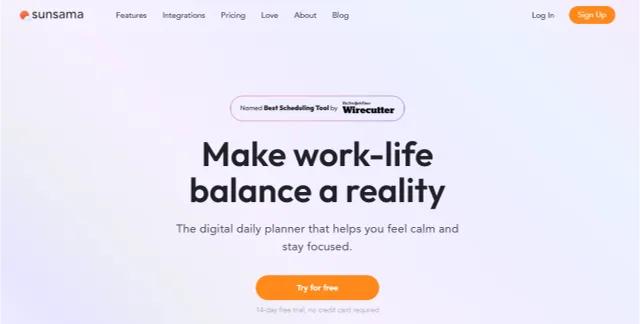
Sunsama Key Features
Sunsama reimagines productivity rituals with tools rooted in mindfulness and objective planning. Its top 2025 features include:
- Daily Planning Assistant: Intelligently guides users through a planning ritual that promotes realistic estimates and work-life balance.
- Calendar + Task Fusion: Timebox tasks directly in a weekly calendar alongside meeting blocks.
- Multi-App Integration: Import tasks from tools like Notion, Asana, Trello, ClickUp, Gmail, and Outlook.
- Focus Mode: Full-screen task execution environment with distraction-blockers.
- Journaling & Reflection: Built-in check-ins to help identify productivity patterns and burnout signals.
- AI Draft Assistant: Helps create balanced task loads and suggests focus themes for the day.
- Mobile Support: Cross-platform apps for iOS and Android with consistent UX.
- Kanban + Calendar View: Combine task pipelines with drag-and-drop scheduling.
Workflow & UX
Sunsama excels in turning daily planning into a calming experience. The UX centers on minimal design, drag-and-drop functionality, and smooth transitions between planning and execution modes. Key remarks:
- Setup is intuitive: onboarding flow asks users to connect existing tools and block daily planning time.
- Unified inbox pulls unprioritized tasks across tools into a triage view.
- Every task can be estimated, scheduled, rescheduled, or pushed to the next day — a smooth workflow loop.
- Keyboard shortcuts, a Quick Add modal, and mobile sync reinforce flow state.
Sunsama Pricing Analysis & Value Metrics
As of July 2026, Sunsama offers a simple pricing model:
| Plan | Price | Access Level | Main Features |
|---|---|---|---|
| Starter | $16/month | Individual Use | Daily planner, calendar sync, 3 integrations |
| Pro | $20/month | Solopreneurs | Unlimited integrations, AI Planner, journaling |
| Team | $24/user/month | Small Teams | Shared visibility, Slack sync, reporting |
All plans offer a 14-day free trial. No credit card required to start.
Value Verdict: While not the cheapest option, Sunsama delivers exceptional value for intentional professionals who want real work-life alignment — not project bloat.

Competitive Landscape
Compared to other productivity apps, Sunsama occupies a unique middle ground between personal planners, task managers, and integration dashboards. Here's how it compares:
| App | Strength | Weakness | Ideal For |
|---|---|---|---|
| Todoist | Fast entry, cross-platform | No calendar sync | List-centric users |
| TimeHero | Automated scheduling | Limited integrations | Project-focused teams |
| Motion | AI calendar + meetings | Steep learning curve | CXOs, exec workflows |
| Sunsama Planner | Guided rituals, broad integrations | Higher monthly cost | Remote professionals |
Sunsama Use Cases
The most common Sunsama users include:
- Remote Creators: Writers, developers, consultants who want structure without over-automation.
- Team Managers: Support small teams in weekly planning and visibility.
- Neurodiverse Workers: Who benefit from ritual-based systems and visually-balanced task planning.
- Wellness-Minded Professionals: Seeking meetings/tasks/work blockers in balance-mode.
Sunsama Integrations & App Ecosystem
Sunsama connects to all major productivity and communication apps, including:
- Google Calendar, iCloud Calendar, and Outlook
- Gmail and Slack
- Notion, ClickUp, Trello, Asana, Todoist
- Zapier for custom workflows
This enables task and event harmony across teams and tools. All integrations sync two-way when supported, which is rare among planners.
Pros & Cons
Pros
Cons
Final Thoughts
For professionals seeking intentional control over their time and digital flow, Sunsama is a 2025 standout. Whether you're juggling creative output, meetings, or asynchronous projects — the Sunsama workflow helps build sustainable structure. However, it’s best for users willing to adapt to structured rituals over a “fast and furious” productivity style. Overall, it is well worth the price if clarity, calm, and deliberate pacing are your north stars.
Sunsama FAQ
Does Sunsama work offline?
Sunsama offers limited offline support for tasks already loaded, but live sync features require internet connectivity.
Can Sunsama integrate with Apple's Calendar and Reminders?
Yes. Sunsama connects with iCloud Calendar and supports task imports from Apple Reminders via email-to-task forwarding.
What is Sunsama's refund policy?
Users can request a full refund within 7 days of a monthly or annual charge by contacting support.
Is Sunsama suitable for team project management?
Sunsama is team-friendly for planning and visibility, but not designed for complex project dependencies or Gantt chart scheduling.
Does the mobile app support all features?
Most features work on mobile including planning and timeboxing, although the AI assistant is currently desktop-only.