
In this article
Time Doctor Overview & 2026 Industry Position
Time Doctor is a leading time tracking and productivity management software tailored for businesses, remote teams, and freelancers. Since its foundation, it has pursued one core mission—helping organizations master workday visibility and performance through reliable, transparent reporting. In 2026, Time Doctor continues to hold a strong position in the workplace productivity niche, now embedding AI features and predictive analytics to meet the rising complexity of hybrid work infrastructures.
From Launch to 2026: Time Doctor’s Journey
Time Doctor was launched in 2012 by Rob Rawson and Liam Martin to solve the growing pain of tracking distributed workforce productivity. In the early years, it focused on screen monitoring and task time tracking. Over time, it added integrations, payroll features, and behavior analytics.
- 2013: Initial desktop versions released for Mac/Windows
- 2015: First integration with project management tools (e.g., Asana, Trello)
- 2018: Launch of mobile apps on iOS and Android
- 2020: COVID-era spike in remote adoption accelerates user growth
- 2023: AI-assisted productivity insights added
- 2025: Introduction of predictive scheduling and workload balancing module
Its 2026 strategy focuses on leveraging AI to reduce burnout, boost focus time, and provide smarter alerts tailored to team dynamics.
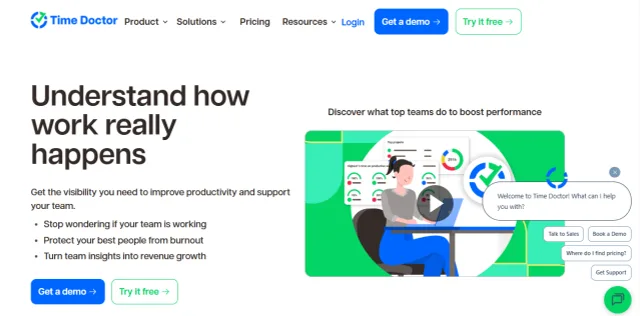
Time Doctor Key Features
At its core, the Time Doctor platform consists of several modules that are valuable for operations, HR, client-facing agencies, and even solopreneurs:
- Time Tracking: Records time by task, with optional manual editing permissions
- Activity Monitoring: Screenshots, app/URL usage, and keystroke/mouse movement summaries
- Productivity Analytics: Evaluates ‘productive vs unproductive’ behaviors for individuals/teams
- Payroll & Invoicing: Supports hourly billing with direct payment integrations
- Project & Client Views: Track billable hours by client, label tasks per project
- Mobile Tracking: Ideal for remote field teams or on-the-move freelancers
- AI Notifications: Predictive fatigue warnings and custom nudges introduced in 2026
Workflow & UX
Time Doctor delivers a streamlined experience across desktop, web, and mobile platforms. The desktop timer is lightweight yet powerful, offering quick access to task switching and daily summaries. The web UI shines in team management—admin users can set productivity thresholds, configure permissions, and visualize daily activity via calendar heatmaps.
The setup flow is smooth, with onboarding templates for companies in agency, BPO, SaaS, and consulting verticals. Recent UX updates have made reporting more visual, allowing users to segment by role, client, or geography with just a few clicks.
Pro Tip: Use Time Doctor’s Focus Time filter to identify when employees achieve peak productivity—then schedule deep work accordingly.
Time Doctor Pricing Analysis & Value Metrics
As of July 2026, Time Doctor offers three primary pricing plans:
| Plan | Cost (per user/month) | What’s Included |
|---|---|---|
| Basic | $7 | Time tracking, dashboard reporting, unlimited projects |
| Standard | $10 | Everything in Basic + Productivity analysis, 3rd-party integrations |
| Premium | $20 | All Standard features + Screenshots, client access, 24/7 support, AI Productivity nudges |
Value Summary: The Standard plan offers excellent ROI for companies with hybrid teams, while Premium is purpose-built for BPOs and client services needing transparency.

Competitive Landscape
| Tool | Best For | Price Range | Key Differentiator |
|---|---|---|---|
| Time Doctor | SMBs, agencies, hybrid teams | $7–$20 | Detailed activity analytics with AI nudges |
| Toggl Track | Freelancers | Free–$18 | Lightweight, UI-centric |
| Hubstaff | Field teams, construction | $7–$25 | Geolocation and GPS tracking |
| RescueTime | Knowledge workers | $0–$12 | Personal focus stats |
Time Doctor Use Cases
- BPOs & Call Centers: Track seat time, app usage, and idle behavior
- Remote Service Agencies: Justify billable hours with screenshot logs
- Freelancers: Create trustworthy worklogs for clients
- Enterprise Teams: Spot productivity patterns across departments
- Outsourcing Platforms: Partner Time Doctor with contractors for payment validation
Time Doctor Integrations
Time Doctor supports 60+ integrations across verticals. Some leading ecosystems include:
- Project Management: Asana, Trello, Jira, ClickUp, Monday.com
- Communications: Slack, Microsoft Teams
- Payroll: Gusto, PayPal, TransferWise, ADP
- CRM & Sales: Salesforce, HubSpot
- Developer Tools: GitHub, Bitbucket, GitLab
Pros & Cons
- ✓ Powerful time analytics for distributed teams
- ✓ AI alerts help reduce manager micromanagement
- ✓ Screenshots and audit trails enhance transparency
- ✗ Screenshot monitoring may feel invasive to some users
- ✗ Slight learning curve for report customization
- ✗ No free plan (only trial)
Final Thoughts
Time Doctor remains a reliable and increasingly intelligent platform for tracking how time is spent across individual, project, and organizational levels. It’s ideal for teams working across time zones, client-facing environments, and companies in growth stages needing operational discipline. Its 2025 strength lies in contextual automation—nudging teams to work smarter, not longer. While its monitoring features may raise concerns in certain cultures, the platform's privacy settings offer the flexibility needed across regional settings.
Time Doctor FAQ
Does Time Doctor record audio or keystrokes?
No. Time Doctor tracks mouse/keyboard activity in aggregate but does not log keystrokes or record audio.
Can users pause tracking or disable screenshots?
Yes, based on admin settings. Users can pause tracking, and screenshots can be turned off per project or user group.
Does Time Doctor integrate with project tools like Asana?
Yes. Time Doctor integrates with Asana, Trello, Jira, and over 60 other platforms.
Is there a mobile version of Time Doctor?
Yes. Available for both iOS and Android with GPS location tracking and basic time logging features.
What industries use Time Doctor most?
It’s widely used in agencies, outsourcing firms, tech startups with remote teams, and healthcare call centers.