In this article
Foxit Overview & 2026 Industry Position
Foxit has established itself as a leading alternative to Adobe in the PDF document space, offering feature-rich software that balances cost-efficiency with enterprise-grade performance. As of 2026, Foxit is strategically positioned to support both individual users and enterprise teams with its comprehensive suite of tools, including cloud-based document management, collaboration features, and AI-powered productivity tools. In an increasingly digitized and hybrid-working environment, Foxit meets the demand for secure, agile, and affordable PDF solutions on any scale.
From Launch to 2026: Foxit’s Journey
Founded in 2001, Foxit began as a lightweight alternative to bulky PDF readers. Over the years, it expanded into powerful PDF editors and enterprise-focused solutions. Key milestones include:
- 2004: Launch of the first Foxit Reader version.
- 2008: Introduced PDF Editor, gaining traction among SMBs.
- 2015: Released PhantomPDF, competing directly with Adobe Acrobat.
- 2020: Integrated cloud and collaboration features for hybrid teams.
- 2023: Rolled out Foxit eSign and support for AI-summarization tools.
- 2025: Introduced AI-driven workflows and adaptive UI experiences designed for compliance-heavy industries like finance and healthcare.
Foxit's 2026 strategy: Deliver scalable, AI-enhanced document automation that empowers teams to stay compliant, efficient, and paper-free.
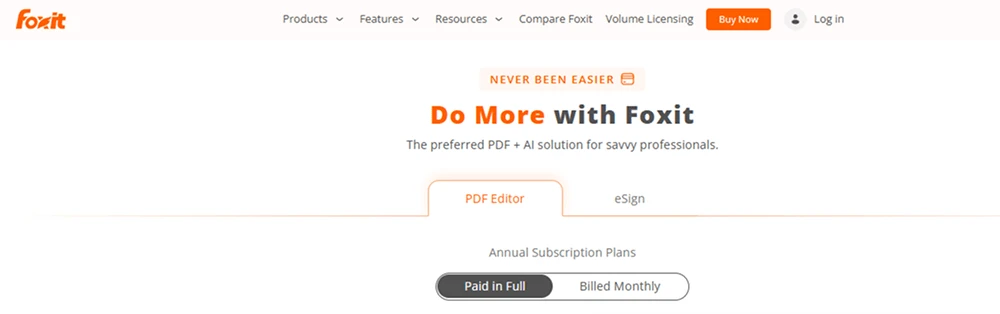
Foxit Key Features
Foxit delivers a platform of robust document tools tailored for modern business challenges. Its features go far beyond basic PDF editing, making it ideal for integrated workflows.
- PhantomPDF: Full-featured PDF Editor with Form Creator, OCR, and AI-assisted writing suggestions.
- Foxit eSign: Legally-binding e-signature platform with workflow automation.
- ConnectedPDF: Document intelligence solution offering secure tracking and versioning.
- Cloud Collaboration: Real-time editing and annotation for distributed teams.
- AI Productivity Tools: Summarization, grammar enhancements, and template generation.
- Mobile Compatibility: Sync across Android/iOS with Foxit MobilePDF & eSign apps.
Workflow & UX Overview
Foxit provides a crisp, intuitive user interface across desktop and mobile platforms. Navigation is tab-based and utilizes a ribbon layout many users will recognize from Microsoft Office, reducing the learning curve. Onboarding is swift, thanks to guided walkthroughs and contextual help. The full suite—including the cloud admin console—allows team members to manage permissions, edit together remotely, and track activity seamlessly. AI-generated prompts for smart editing and content summarization further streamline user experiences in 2026.
Foxit Pricing Analysis & Value Metrics
As of July 2026, Foxit’s pricing structure aims to accommodate freelancers, businesses, and large enterprises with varying needs and team sizes. Here’s a tiered breakdown:
| Plan | Price/month | Core Features |
|---|---|---|
| PDF Editor Personal | $11.99 | Edit, annotate, organize, convert, fill forms |
| PDF Editor Pro | $17.99 | All Personal features + AI tools, forms, ConnectedPDF |
| Business Suite | $24.99 | Everything in Pro + admin permissions, workflow automation |
| Foxit eSign | $9.00 | Unlimited e-signing, templates, audit logs |
Value Assessment: Highly competitive pricing—especially for the Pro and eSign options—provides comprehensive document experience at a fraction of Adobe’s cost, without sacrificing quality or compliance support.
Pro Tip: Bundle the Foxit Business Suite with eSign for team-wide automation, compliance tracking, and unified billing structure.

Foxit vs. Competitors
Foxit’s suite competes head-to-head with top-tier brands in PDF and eSignature solutions. Here’s how it compares:
| Brand | Key Strength | Ideal Users |
|---|---|---|
| Foxit | Affordable + Robust features (PDF + eSign) | SMBs, freelancers, mid-market orgs |
| Adobe Acrobat | Complete toolkit, deep integrations | Enterprises with complex workflows |
| DocuSign | Advanced integrations & automations | Enterprise legal & procurement teams |
| PDFelement | Simple, intuitive UI + lower cost | Entry-level users |
Common Use Cases
Foxit is particularly effective in scenarios where budget, security, and collaboration combine:
- Legal Teams: Prepare, review, and sign documents securely with audit trails.
- Higher Ed/Nonprofits: Create forms, gather data, and digitize operations cost-effectively.
- Finance: Handle PDF statements, agreements, and compliance paperwork mid-stack.
- Healthcare: HIPAA-friendly storage and distribution of health information.
- Marketing/Freelancers: Edit, send, and track branded PDFs or contracts with personalized workflows.
Foxit Integrations in 2026
Foxit’s expanded ecosystem supports seamless integration with critical productivity tools, including:
- Microsoft 365: Native Word, Excel, and Outlook PDF tools
- SharePoint and OneDrive: Auto-storage and document syncing
- Dropbox & Google Drive: Cloud-based form filling and batch processing
- Salesforce: Trigger workflows and connect contracts to customer records
Foxit Pros & Cons
- Pro: Affordable pricing across all tiers
- Pro: Comprehensive eSign & PDF suite in one platform
- Pro: Strong AI enhancements streamline workflows
- Con: Some advanced features gated in business plans
- Con: Fewer third-party integrations than Adobe
Final Thoughts
For teams and individuals seeking a smarter, budget-friendly PDF and e-signature solution in 2026, Foxit’s tools hit the mark. With powerful editing, smart automation, and expanding integrations, it’s a great fit for SMBs, hybrid teams, and freelancers who demand reliability without enterprise pricing. Consider your need for deep integration and ultra-specialized workflows—those may merit a higher-tier player. Overall, Foxit delivers more capability per dollar than many competitors in its space.
Foxit FAQ
Does Foxit offer a free PDF editor?
Yes, Foxit Reader is available as a free tool for viewing and basic annotation. More advanced editing requires a paid plan.
Is Foxit eSign legally binding?
Yes. Foxit eSign meets U.S. ESIGN and global e-signature standards, including audit trails and identity verification.
Can I use Foxit on mobile devices?
Absolutely. Foxit MobilePDF and Foxit eSign apps are available on both iOS and Android with sync support from the cloud.
Does Foxit integrate with Microsoft 365?
Yes, Foxit integrates natively with Microsoft Word, Excel, Outlook, and SharePoint, making document handling streamlined for Office users.
Is customer support included in all plans?
Email and ticket support are included with all paid plans. Business Suite users receive priority support and onboarding assistance.