In this article
Keap Overview & 2026 Industry Position
Keap, formerly known as Infusionsoft, has grown into a powerhouse for small- to mid-sized businesses (SMBs) seeking a unified CRM, sales, and marketing automation solution. As sales funnels and customer lifecycles become increasingly complex, Keap offers a streamlined alternative that integrates contact management, email automation, appointment scheduling, invoicing, and more under one intuitive dashboard.
With AI-driven workflows, improved data privacy features, and new partnerships in 2026, Keap holds a firm position as an SMB enabler in the CRM and marketing automation space, directly competing with players like ActiveCampaign, Zoho, and HubSpot’s lower tiers.
From Launch to 2026: Keap’s Journey
Keap’s story starts in 2001 when it launched as eNovasys, later becoming Infusionsoft in 2004. In 2019, the brand rebranded to Keap, reflecting its mission to help entrepreneurs “keep going, keep growing.” Key milestones include:
- 2004: Infusionsoft CRM launched with email marketing automation
- 2015: Reached 30,000 customers
- 2018: Secured $100M Series C funding led by Bain Capital
- 2019: Brand relaunch as Keap; introduced Keap Grow and Keap Pro
- 2022: Released FlowBuilder for simplified automation
- 2025: Rolled out SmartSend AI and Smart Contact View
In 2026, Keap aims to accelerate SMB success through AI-powered workflows, native payments, and hyper-personalized campaign structuring without added complexity.
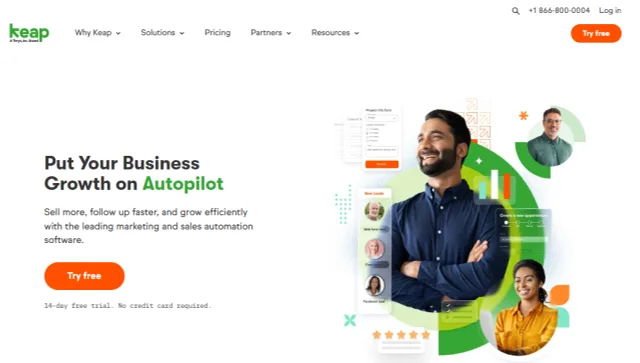
Keap Key Features
Keap offers a unified platform designed to minimize tech stack friction. Its standout features include:
- Smart Contact Management: Tag-based segmentation, filters, and automatic lead capture.
- Sales Pipeline Automation: Visual drag-and-drop sales stages with task reminders and next-step guidance.
- Campaign Builder 2.0: Simplified, no-code automation sequences for emails, SMS, tagging, and notifications.
- SmartSend AI: Leverages send-time optimization and adaptive messaging strategies for better engagement.
- Keap Payments: No-code invoices, quotes, and billing via Stripe or native integrations, with auto-reminders.
- Appointments: Built-in scheduling tool with timezone detection and calendar sync.
- Mobile App: Full-feature CRM on the go—great for service-based businesses.
Workflow & UX
Keap emphasizes clarity and speed in execution. The UI is built with non-technical users in mind, favoring pre-built automation suggestions, inline editing, smart tags, and mobile responsiveness.
The onboarding is structured with guided flows, helping users set up lead capture forms, automate follow-ups, and import contacts without friction. While the Campaign Builder remains powerful, those unfamiliar with automation may face a slight learning curve—offset by strong tooltips and support articles.
Keap Pricing Analysis & Value Metrics
| Plan | Monthly Price (Annual Billing) |
Included Contacts | Users | Features |
|---|---|---|---|---|
| Keap Pro | $159/month | 1,500 | 2 | CRM, Automation, Appointments, Invoicing, Landing Pages |
| Keap Max | $229/month | 2,500 | 3 | Everything in Pro + Sales Pipelines, Analytics, Lead Scoring |
| Keap Max Classic | $279/month | 5,000 | Unlimited | Legacy Infusionsoft Features + API Access |
Value Verdict: While Keap isn’t cheap upfront, its reduced need for third-party tools (email, invoices, schedulers) nets savings for growing SMBs.

Competitive Landscape
Here’s how Keap compares across leading competitors:
| CRM Tool | Starting Price | Automation | Ideal For |
|---|---|---|---|
| Keap Pro | $159/mo | Advanced; Visual Builder | Service SMBs, Coaches |
| HubSpot Starter | $20/mo | Limited | Marketing Beginners |
| ActiveCampaign Plus | $109/mo | Complex Campaign Structures | Experienced Marketers |
| Zoho CRM | $14/mo | Moderate | Sales-led Teams |
Use Cases & Industries Served
Keap thrives in businesses that offer services and rely heavily on appointment setting, client communication, and payment processing. Examples:
- Coaches and Consultants hosting limited-time offers or courses.
- Home service businesses—plumbers, HVAC, electricians—with active lead routing.
- Health & wellness practices (e.g., chiropractors, therapists).
- eLearning course creators and solopreneurs scaling funnels.
Keap Integrations & Ecosystem
Part of Keap’s appeal is its expanding ecosystem with native integrations across business software categories:
- Payment: Stripe, PayPal, Keap Payments
- Calendars: Google Calendar, Outlook
- CRM/Forms: Typeform, GravityForms
- eCommerce: Shopify, WooCommerce
- Marketing: Zapier, PlusThis, Leadpages
- Comms: Slack, Gmail, Twilio
Pros & Cons
- ✔ Unified experience that reduces tech stack sprawl
- ✔ Excellent for service-based SMBs, consultants, and solopreneurs
- ✔ Strong automation builder with new AI optimize tools
- ✘ High base pricing for early-stage startups
- ✘ Slight learning curve in workflows & tagging logic
- ✘ Some reports/analytics limited to higher tiers
Pro Tip: Use Keap's Pipeline + Appointments combo to automate lead capture directly into sales meetings—no extra tools needed.
Final Thoughts on Keap in 2026
Keap isn't just a CRM—it's a scalable automation command center built for small teams with big goals. For service businesses, coaches, and agencies looking to streamline lead → schedule → invoice workflows, Keap offers unparalleled time savings. That said, smaller startups with limited budgets might consider alternatives until scaling revenue justifies the all-in-one price point.
Keap FAQ
What is Keap’s main use case?
Keap is primarily used for client management, appointment booking, and marketing automation by small service-based businesses.
Is there a free trial for Keap?
Yes, Keap offers a 14-day free trial that includes core CRM and automation tools with no credit card required.
Can Keap replace tools like Calendly and Mailchimp?
Yes. Keap includes native scheduling and email automation tools, eliminating the need for many third-party apps.
How easy is it to migrate to Keap?
Keap provides dedicated onboarding specialists and migration tools that help transfer contacts, tags, and automations from other platforms.
How does Keap support look like?
Support is offered via phone, email, and live chat during US business hours, plus access to a robust help center and user community.