

Cloud data loss remains a top risk for businesses in 2026. IDrive addresses this challenge, empowering entrepreneurs and SMBs with a unified backup solution for PCs, Macs, and mobile devices in a single, easy-to-manage account. As cloud security threats accelerate, IDrive evolves to offer reliable, flexible protection without complexity or excessive cost.
From Launch to 2026: IDrive Timeline
- 2007: IDrive launches, targeting SMB and consumer cloud backup.
- 2012: Adds mobile device backup, supporting both Android and iOS.
- 2018: Rolls out IDrive Express for fast, physical data transfer.
- 2022: Deepens integrations with Microsoft 365, Google Workspace, and Salesforce.
- 2024: Enhanced security, ransomware detection, and cross-device management UI.
- 2026: Positions as SMB/entrepreneur default for multi-device, compliance-oriented backup, with add-on coverage for major business cloud apps.
Key Features
- Multi-Device Backup: Protects unlimited PCs, Macs, iPhones, iPads, and Android devices under a single IDrive account.
- Point-in-Time Recovery: Snapshots enable up to 30 file versions and fast rollback after attack or error.
- IDrive Express: Bulk upload or restore via secure shipment for fast first-time backups, minimizing downtime.
- Add-ons for Business Apps: Covers Microsoft 365, Google Workspace, Salesforce, Dropbox, Box, and more with tailored backup modules.
- Compliance & Security: 256-bit AES encryption, GDPR alignment, and support for HIPAA with Business Associate Agreements.
- Automated Scheduling: Set-and-forget daily or continuous backup policies per device.
- Real-Time Sync & Share: File sync mirrors changes across devices. Secure sharing with granular control.
- Web Management: Central dashboard to view devices, run restores, manage users, and monitor storage usage.
Workflow & User Experience
- Unified Admin Panel: Effortlessly add devices, schedule backups, or restore data from a clean, web-based UI-no IT degree needed.
- Mobile Apps: IDrive apps for iOS and Android enable backup/restoration directly from devices and remote file access.
- Point-and-Click Recovery: Restore individual files, folders, or whole devices with a few clicks-whether from the cloud or shipped drive.
- Role-Based Access: Manage users and set granular data access & backup permissions for teams.
IDrive Pricing
| Plan | Key Features | Pricing |
|---|---|---|
| Free | 5 GB backup, 1 user, core features | $0 |
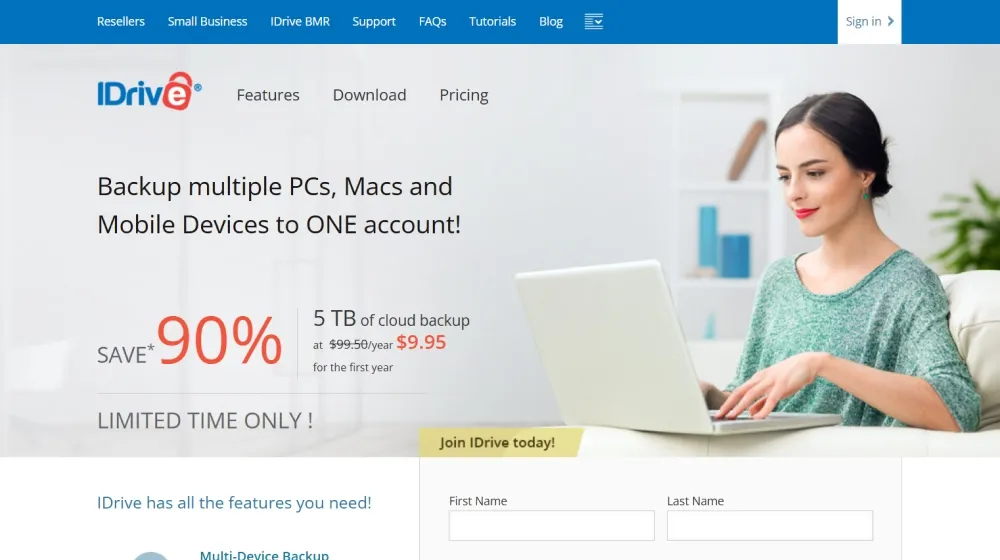
| Personal | 5 TB storage, unlimited devices, snapshots, continuous backup | $9.95/year (first year promo, then $99.50/year) |
| Business | 5 TB+ storage, user management, compliance, Microsoft 365 & Google Workspace backups available | Starting $9.95/year (first year promo), then $99.50/year; add-ons extra |
| Add-ons | Microsoft 365, Google Workspace, Salesforce, Dropbox, Box | $20/user/year (unlimited or 10TB cap, per app) |
IDrive vs. Competitors
| Feature | IDrive | Backblaze | Carbonite | Acronis |
|---|---|---|---|---|
| Device Limit | Unlimited | Unlimited | 1 (Basic), 5 (Plus) | Depends on plan |
| Storage Options | 5TB, 10TB+ | Unlimited | Up to unlimited | Tiered |
| First-Year Promo | 90% off | None | Varies | None |
| File Sync/Share | Yes | No | No | Yes |
| Business Cloud Add-ons | Robust (365, Workspace, etc.) | Limited | Limited | Yes (add-ons) |
| Physical Restore Option | Yes (Express) | No | No | No |
| Compliance | GDPR, HIPAA | GDPR | HIPAA* | GDPR, HIPAA |
| Price/Year (5TB) | $9.95 promo, then $99.50 | $70 (unlimited) | $83.99 | $124.99+ |
Pro Tip: If you already use Microsoft 365, Google Workspace, Salesforce, Dropbox, or Box, IDrive lets you consolidate all backups (cloud software and devices) securely under one account, simplifying compliance and disaster recovery.

Integrations
- Microsoft 365 (OneDrive, Exchange, SharePoint, Teams backup)
- Google Workspace (Gmail, Drive, Calendar, Contacts)
- Salesforce (data & attachments)
- Dropbox & Box (file system and team data)
- Mobile apps: iOS, Android
Pros & Cons
| Pros | Cons |
|---|---|
|
|
Final Thoughts
By 2026, IDrive cements itself as a highly practical, scalable cloud backup choice for entrepreneurs and SMBs. Its ability to unify device and cloud app protection, combined with transparent pricing and robust compliance, makes it a reliable backbone for business continuity. The aggressive first-year promo lowers barriers to trial-no expensive commitment up front. While additional SaaS add-ons can increase costs, IDrive offers a rare mix of peace of mind and control over both endpoints and cloud business data.


IDrive FAQ
Yes, it meets GDPR standards and supports HIPAA via a signed BAA on eligible plans.
Yes, white-label portals fully support your own domain and branding.
Ideal for consultants, service firms, and SMBs needing streamlined automation.
No-integrates seamlessly with both services.
All plans include chat/email; higher tiers include onboarding and dedicated setup help.


