


In 2026, Getscreen.me stands out as a browser-driven remote desktop SaaS, purpose-built for SMBs, IT consultants, and service teams seeking effortless device access and support workflows. Tailored for reliability, scale, and rich integration, it positions itself as a versatile alternative to remote desktop incumbents while prioritizing simplicity, speed, and modern security standards.
From Launch to 2026: Getscreen.me Timeline
- 2018: Product inception focused on simplifying remote desktop sessions using just the browser.
- 2020-2022: Breakthrough years with rapid feature expansion: quick support, file manager, and robust agent deployments across Windows, macOS, Linux, and Android.
- 2023: Brand ecosystem grows – integrations (API, iFrame, SSO, Active Directory), white-label, and cloud/self-hosted options enter mainstream.
- 2025: Gains user trust with high ratings across Capterra, G2, and Chrome Store; established enterprise and SMB segments.
- 2026: A matured, cloud-native platform for cross-industry IT administration, advanced support, and embedded remote tech in SaaS stacks. Robust security, mass agent deployments, and white-labeling define the latest plans. Getscreen.me continues to evolve, staying agile with changing business and security demands.
Key Features by Capability
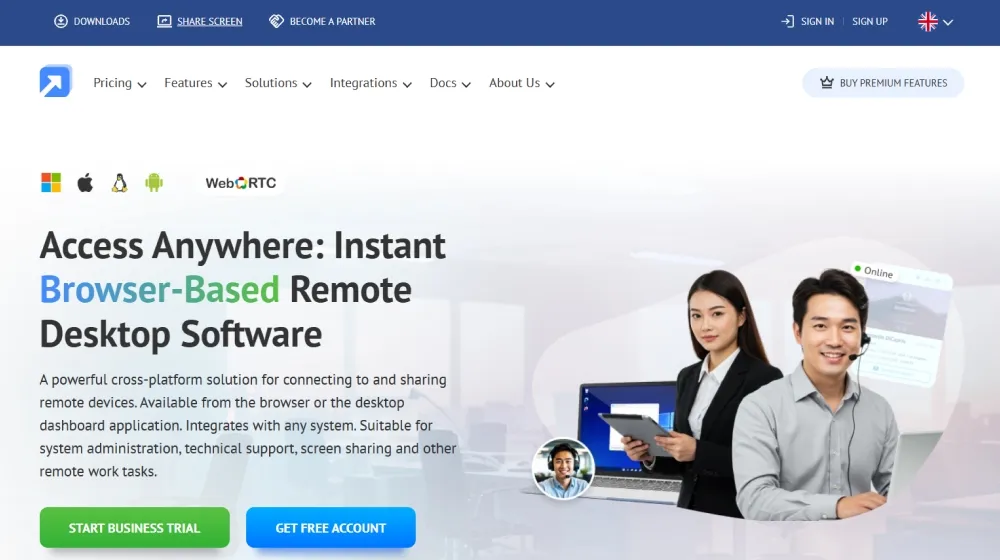
- Browser-Based Remote Control: Instantly access desktops or mobile devices via browser – no installation or port configuration required.
- Permanent & One-Time Access: Unattended access for IT fleets, plus ad hoc sessions for tech support.
- Multi-Platform Support: Native support for Windows, macOS, Linux, and full-featured remote Android access.
- Advanced File Manager: Dual-pane file transfers, drag-and-drop, hotkeys, and permission management.
- Terminal/Command-Line Mode: Script execution and backend access without GUI sessions, secure for advanced use.
- Branding & White-Label: Custom domains, logo, and invite templates for professional client experiences.
- Team & Device Management: Mass deployment, permission hierarchies, SAML/SSO, department groups, audit logs.
- Session Recording & Video: Optional recording for compliance, training, or QA audits.
- Security: SSL encryption, role-based authentication, granular access controls, self-hosted/private cloud and proxy options for sensitive data sectors.
- Integrations: API & iFrame, Chrome extension, desktop app, plugins, and directory sync (SSO, AD).
Workflow & User Experience
- Business and IT teams deploy agents or generate one-time links, which end-users simply open via browser.
- Centralized, intuitive control panel for managing sessions, devices, files, terminal access, and branding.
- Multi-user and concurrent session support without install bloat or complex setup.
- Chrome extension and desktop dashboard provide fast one-click connectivity alongside web app access.
- Android support brings full mobile device management and touch gesture handling.
Getscreen.me Pricing
| Plan | Key Features | Pricing |
|---|---|---|
| Free | Essential remote access, 1 user, basic support, limited branding | $0 (14-day business trial) |
| Personal Lifetime | One-time payment, lifetime license, non-commercial only | Est. $49 one-time |
| Business Plans | Concurrent connections, team/department features, recording, API, advanced management | $9/user/mo and up |
| Enterprise & Self-Hosted | Full white-label, custom domains, API/iFrame, mass deployment, enhanced privacy & compliance | Custom quote |
Getscreen.me vs Alternatives
| Getscreen.me | TeamViewer | AnyDesk | Chrome Remote Desktop | |
|---|---|---|---|---|
| Browser-Only Access | Yes | No | No | Yes |
| Permanent & Ad-hoc Sessions | Yes | Yes | Yes | Limited |
| Self-Hosted Option | Yes | No | No | No |
| Full Branding/White Label | Yes | No | No | No |
| API/iFrame Integration | Yes | Limited | Limited | No |
| Concurrent Sessions | Unlimited | Limited | Limited | Limited |
| Android Remote | Full | Basic | Basic | No |
| Pricing | SMB-friendly, free trial | Higher, commercial license needed | Lower, per device/user | Free, features limited |
Pro Tip: For full rebrand, custom integrations, and compliance, start with a business trial before moving to enterprise white-label or self-hosted plans. Leverage Getscreen.me‘s API for seamless support portal workflows.

Integrations
- HTTP API – Automate user onboarding & connections via REST endpoints
- iFrame Sessions – Embed remote access into your SaaS or CRM portals
- Chrome Extension for browser-based fast access
- Directory Sync – SAML SSO, Active Directory for mass user imports
- Desktop App & Plugins – Integrate into helpdesk and ITSM stacks
Pros & Cons
| Pros | Cons |
|---|---|
|
|
Final Thoughts
Whether you manage dozens or thousands of endpoints, Getscreen.me offers a robust, agile solution for modern remote access and IT support in 2026. With transparent pricing, scalable plans, white-label and self-hosted options, it’s an excellent fit for SMBs, consultants, SaaS owners, and enterprises seeking secure, cloud-native remote desktop power without the legacy headaches. Try the free trial or contact sales for custom deployments.


Getscreen.me FAQ
Yes, it meets GDPR standards and supports HIPAA via a signed BAA on eligible plans.
Yes, white-label portals fully support your own domain and branding.
Ideal for consultants, service firms, and SMBs needing streamlined automation.
No-integrates seamlessly with both services.
All plans include chat/email; higher tiers include onboarding and dedicated setup help.


