

Toggl has become a standout time tracking solution for SMBs, agencies, and enterprise teams seeking real efficiency and actionable data in 2026. Explore how Toggl has evolved, what features it delivers, and whether it’s still a top choice for productivity-driven teams worldwide.
From Launch to 2026: Toggl’s Timeline
- 2006: Toggl launches as a simple web time tracker for freelancers.
- 2013–2018: Expands into team project tracking, launches desktop/mobile apps.
- 2019–2023: Major upgrades to reporting, integrations, and compliance (GDPR, ISO, SOC 2, anti-surveillance stance).
- 2024–2026: Focuses on large-scale enterprise adoption, custom reporting dashboards, 100+ integrations, and automation (AI-powered features, advanced API access, and better administrative controls).
Key Features of Toggl
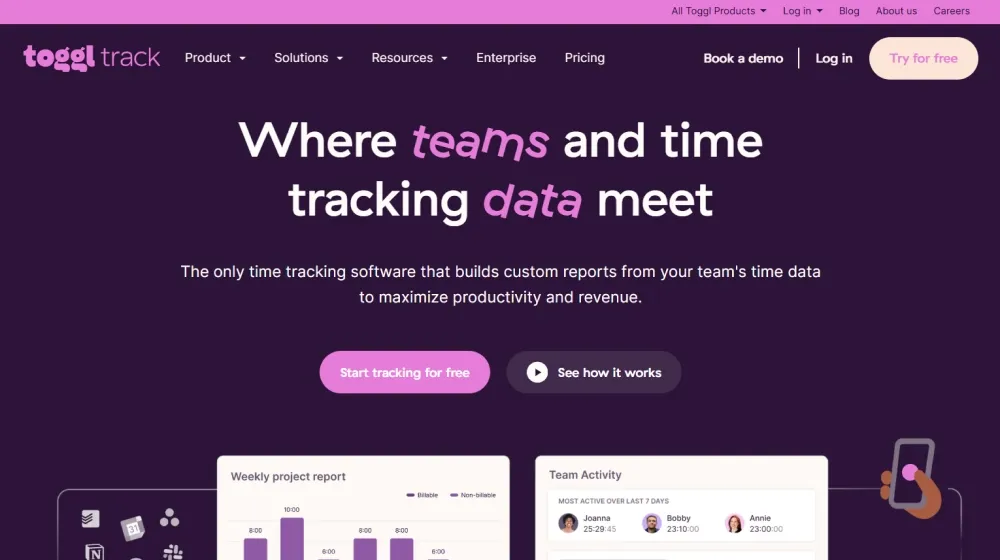
- Advanced Time Tracking: Track time by project, client, task, or custom tags with one-click, manual, or automated modes.
- Multi-Platform Access: Native web, desktop, mobile apps, plus browser extension support.
- Customizable Analytics & Reporting: Build drag-and-drop reports on productivity, workload, billable vs. non-billable time, and profitability.
- Timesheet & Payroll Tools: Approvals workflow, ready-to-use timesheets, payroll exports (CSV, PDF, API).
- 100+ Integrations: Seamlessly connect with Jira, Asana, Slack, Trello, Salesforce, Google Calendar, QuickBooks, and many more.
- Automated Reminders and AI Suggestions: Automated idle detection, reminders, and AI-driven recommendations for timesheet accuracy.
- Compliance & Data Security: SOC 2 Type 1, ISO 27001 certified, GDPR-ready, and anti-surveillance by design (no screenshots/camera tracking).
Workflow & User Experience
- Quick onboarding – get teams tracking in minutes with minimal setup or training.
- Highly visual reports and dashboards, suitable for non-technical users and execs.
- Flexible user roles and permissions, bulk invite, practical for distributed/hybrid organizations.
- No developer needed to customize reports or workflow automations.
- Priority support and onboarding help for larger plans.
Toggl Pricing
| Plan | Key Features | Pricing |
|---|---|---|
| Free | Basic time tracking, projects, simple reports, up to 5 users | $0 (forever) |
| Starter | Billable rates, custom exports, integrations, priority support | $10/user/mo |
| Premium | Team management, project forecasts, tracking reminders, labor cost tracking, timesheet approvals | $20/user/mo |
| Enterprise | All features, unlimited users, custom reporting, dedicated support, advanced controls | Custom quote |
Toggl vs Competitors
| Toggl | Harvest | Clockify | Hubstaff | |
|---|---|---|---|---|
| Target customer | SMBs, agencies, enterprise, global | SMBs, agencies | Individuals, SMBs | Remote/field teams |
| Automation/AI features | Idle detection, reminders, AI insights | Limited | No | Monitoring, screenshots |
| Integrations | 100+ | 50+ | 20+ | 40+ |
| User privacy | Anti-surveillance, privacy-first | Standard | Standard | Screenshot monitoring |
| Custom reports | Yes, no code needed | Limited | No | Basic |
| Entry-level pricing | Free for teams (5 users) | Paid only | Free | Paid |
| Enterprise features | Advanced, API, onboarding, CSM | Limited | No | Yes |
Pro Tip: To maximize ROI, leverage Toggl’s API and integrations for custom reporting, or use their team onboarding for seamless rollout across your company. Always check for the latest Toggl promo codes before you subscribe.

Integrations
- Jira, Asana, Trello, Salesforce, Monday.com
- Slack, Google Calendar, MS Teams, Zoom
- QuickBooks, Xero, FreshBooks
- Zapier, API for custom tools and workflows
- Browser extensions for instant tracking (Chrome, Firefox, Edge)
Pros & Cons
| Pros | Cons |
|---|---|
|
|
Final Thoughts
Toggl continues to set the standard for privacy-focused, scalable time tracking and productivity analytics in 2026. Its highly usable interface, robust integrations, and transparent pricing make it an enduring favorite for teams ready to trade busywork for business results. Whether you’re a startup or an international agency, Toggl offers flexible options for growth, compliant data handling, and genuine insight into work habits.


Toggl FAQ
Yes, Toggl meets GDPR standards and offers SOC 2, ISO 27001, and optional BAAs for enterprise clients on eligible plans.
White-label domains are supported for enterprise clients with custom onboarding.
Consultants, agencies, SaaS/IT teams, and businesses needing fast, visual time and productivity analytics.
No – Toggl is focused on time tracking and reporting, but offers deep integrations with accounting and project tools.
All plans offer chat/email support; higher tiers add onboarding, success manager, and custom SLA options.


