In this article
Basecamp Overview & 2026 Industry Position
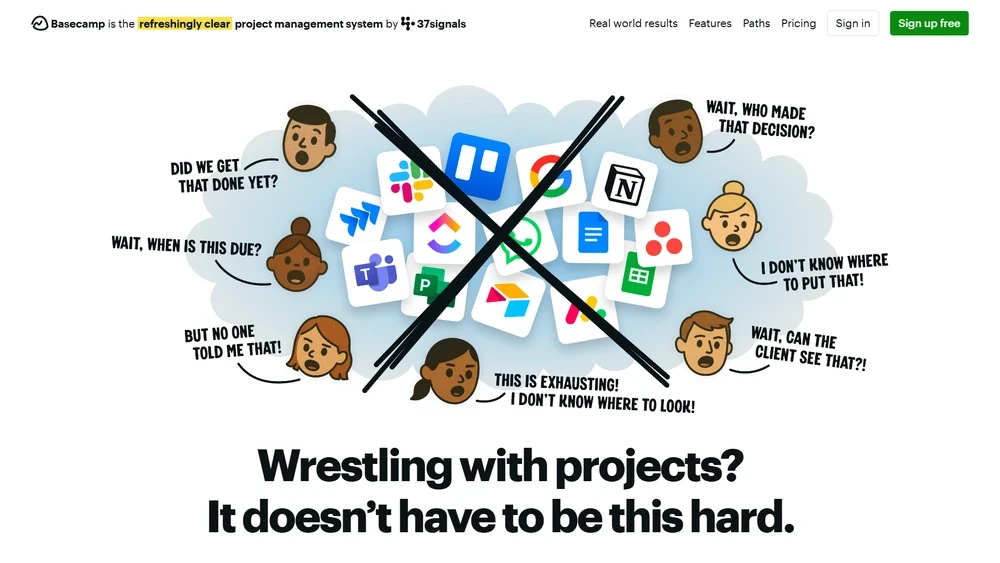
In a crowded field of productivity platforms, Basecamp has long stood out by taking the road less cluttered. As of 2026, Basecamp continues to defy conventional SaaS bloat, aiming instead for simplicity, affordability, and transparency. Designed with small-to-medium teams in mind, Basecamp removes the chaos from remote collaboration, replacing long emails and app-switching with a unified digital workspace. This 2025 review dives into what keeps Basecamp relevant—and even thriving—in an age of AI noise and well-funded mega-suites.
From Launch to 2026: Basecamp’s Journey
Originally launched in 2004 by 37signals, Basecamp emerged as a radical departure from bloated project management software. With its clean interface and focus on communication, Basecamp quickly found a loyal following among teams craving simplicity. Major revenues, a product-first ethos, and bestselling books followed. Noteworthy milestones include:
- 2004: Basecamp launches as a side project from 37signals.
- 2010: Basecamp Classic is replaced by a rebuilt version—Basecamp 2.
- 2014: Basecamp 3 releases with to-do templates and real-time message boards.
- 2018: Basecamp becomes a subscription-only SaaS platform with focus on privacy.
- 2021: Launch of HEY; 37signals later reverts to being Basecamp as main brand.
- 2023: Basecamp 4 launches, adding card-table task views and client-specific tools.
2026 strategy thesis: Basecamp reasserts its market with efficient, fixed-cost collaboration under one roof—no per-user pricing, no analytics bloat, and complete transparency.
Basecamp Key Features
While modern toolkits are overloaded with CRM, code reviews, and integrations, Basecamp offers a consciously compressed set of features engineered around real team workflows. Core highlights include:
- Message Boards: Threaded discussions that replace long internal email chains.
- To-dos: Simple list-based task tracking with assign/notify/tag options.
- Schedules: Project calendars for milestone and deadline alignment.
- Docs & Files: Integrated Google Docs and file storage by project.
- Campfire: Always-on chat for impromptu team convos.
- Client Projects: Separate portals to work with external clients without giving full backend access.
- Hill Charts: A unique way to visualize project progress over time using actual perceived progress.
Workflow & UX
Basecamp’s interface emphasizes clarity over complexity. Navigation is icon-led with a mix of project spaces (each one has the same menu of tools) and global overviews via My Stuff. Users can jump between projects easily, and notifications are intelligently batched to reduce overload. The platform eschews power-user dashboards in favor of a consistent experience for onboarding and long-term team stability.
Pro Tip: Use Basecamp’s Hill Charts during weekly check-ins to non-technically visualize if work is front-loaded (planning) or downhill (execution).
Basecamp Pricing Analysis & Value Metrics
As of July 2026, Basecamp offers a disruptive flat-rate pricing model:
| Plan | Price | Users | Includes |
|---|---|---|---|
| Basecamp | $99/month | Unlimited | All core features, unlimited projects |
| Basecamp Personal | Free | Up to 3 users | 1 project, limited storage |
Value assessment: For small-to-midsize teams, Basecamp offers one of the best price-to-function ratios in its space—fixed pricing means predictable cost even as you grow.

Competitive Landscape
| Tool | Pricing | Best for | Limitations vs Basecamp |
|---|---|---|---|
| Asana | Starts at $13.49/user | Complex orgs | Per-seat charges, steeper learning curve |
| ClickUp | Starts at $10/user | Feature-heavy teams | Overwhelming UI, deeper training needed |
| Monday.com | Starts at $12/user | Cross-functional teams | Less value for small teams |
| Basecamp Plan | $99 total | SMBs, creatives, agencies | No native Gantt or agile tools |
Basecamp Use Cases
Basecamp shines in team contexts where over-communication, clarity, and departmental silos can otherwise be obstacles:
- Marketing teams managing campaigns or client deliverables
- Design studios handling multiple client accounts
- Consultants who need lightweight project portals
- Education & nonprofit teams with limited tech support
Basecamp Integrations
For a tool intentionally devoid of marketplace complexity, Basecamp handles the essentials well. Notable integrations include:
- Zapier: Connect to 1,000+ apps for automation flows
- Time tracking: Harvest and Everhour plugins work natively
- Email forwarding: Turn support inboxes into Basecamp threads
- Google Workspace: Simple in-app linking to Docs, Sheets, Slides
Pros & Cons
- Pros:
- Flat pricing model ideal for budget-conscious teams
- Clean UI with no feature bloat
- Great onboarding and learning curve
- Cons:
- No kanban or sprint tools for agile teams
- Minimal customization for power users
- Limited native integrations vs competitors
Final Thoughts
For small-to-midsize organizations aiming to stay nimble and focused, Basecamp offers tremendous value without the maintenance that enterprise-grade tools bring. Its clarity-first approach makes it particularly well-suited for creative agencies, startups, and teams who prioritize communication over complexity. While it may not fit large-scale agile operations, its simplicity is its staying power.
Basecamp FAQ
Is Basecamp really free for small teams?
Yes. Basecamp Personal is free for up to 3 users and 1 active project. It’s a great starting point for very small teams or freelancers.
Does Basecamp offer Gantt charts or Kanban boards?
No. Basecamp focuses on simple to-do lists and Hill Charts. For Kanban or Gantt needs, integrations or other tools may be better suited.
Can I use Basecamp with external clients?
Yes. Basecamp lets you create client-specific projects with limited access so external stakeholders can view progress without seeing internal discussions.
Is Basecamp HIPAA or SOC2 compliant?
No. As of 2026, Basecamp does not claim HIPAA or SOC2 compliance, which is critical to assess if you’re in regulated industries.
How fast is the customer support?
Basecamp support typically responds within 1 business day via email. There's no live chat or phone support currently.