
In this article
Lucidchart(and LucidSpark) Overview & 2026 Industry Position
Lucidchart and LucidSpark — both under the Lucid brand — remain instrumental in the digital collaboration and visual productivity marketplace. In 2026, with hybrid workplaces and cross-functional teams as the norm, these tools provide structured visualization (Lucidchart) and freeform brainstorming (LucidSpark) in a unified platform. Their appeal ranges from agile product teams and IT architects to operations and sales strategists. Lucid’s strategy involves doubling down on real-time intelligence features, seamless ecosystem integration, and AI-powered diagram automation — all to support fast decisions across teams, time zones, and tools.
From Launch to 2026: Lucidchart(and LucidSpark)’s Journey
Lucidchart was founded in 2010 as a web-based diagramming tool with intuitive drag-and-drop architecture. Over time, its capabilities expanded to support complex system design, process mapping, and advanced data visualizations. LucidSpark launched in 2020 as a creative whiteboarding extension.
Key milestones include:
- 2010: Lucidchart launches as a browser-native diagramming app
- 2016: Adds real-time multi-user collaboration and team libraries
- 2020: LucidSpark debuts to support agile ideation workflows
- 2022: Launch of Lucid Visual Collaboration Suite
- 2024: AI-driven diagram duplication and Smart Containers released
- 2025: Lucid embeds tightly with Microsoft 365 & Asana, supported by enterprise-grade security and data-rich automations
Their 2026 strategy: unify action and visualization across planning stages, from brainstorm to execution to optimization.
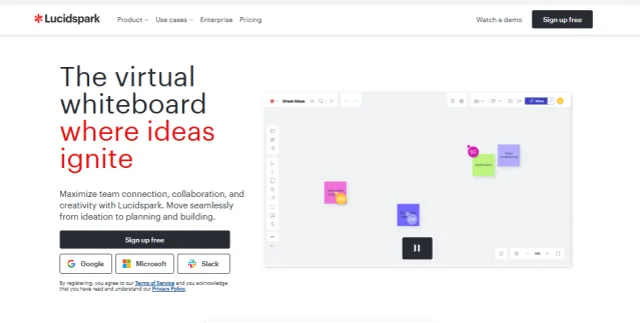
Lucidchart(and LucidSpark) Key Features
Lucidchart's core purpose is to convert complex ideas and processes into digestible visuals. LucidSpark provides the ideation space for divergent thinking. Together, they enable a seamless workflow from loose ideas to polished concepts.
- Diagramming Toolkit: Flowcharts, UML, ER diagrams, network maps, org charts
- Flexible Canvas: Infinite whiteboarding with LucidSpark, sticky notes, containers, tags
- Real-Time Collaboration: Multi-cursor view, chat, timer, voting, and feedback
- Smart Containers & Context Panels: Dynamic grouping and content editing
- Data Linking: Sync diagrams with Google Sheets, Salesforce, or live SQL data
- AI-Powered Features: Auto-generated diagrams and diagram cleanups (2025 release)
Workflow & UX
Lucid delivers a refined, keyboard-friendly UX whether you’re sketching in LucidSpark or building shape layers in Lucidchart. A collapsible toolbar adapts to context, and search features let you drop elements without breaking creative focus. Collaboration tools are non-intrusive: mention teammates, assign shapes, and toggle views per contributor./
Access management via Google or Microsoft SSO and user groups simplifies governance. Mobile experiences remain chart-readable, best kept for light edits and feedback in 2026.
Lucidchart(and LucidSpark) Pricing Analysis & Value Metrics
| Plan | Monthly (USD) | Included Features |
|---|---|---|
| Free | $0 | 3 Lucidchart docs, view access in LucidSpark |
| Individual | $9.95 | Unlimited Lucidchart; solo LucidSpark boards |
| Team | $12/user | All features, roles & permissions, integrations |
| Enterprise | Custom | SSO, SCIM, domain control, advanced data governance, full Lucid Suite |
Value Insight: For distributed teams, the Team and Enterprise tiers offer exceptional ROI by consolidating multiple standalone diagram and meeting tools in one environment.

View current offers
Competitive Landscape
| Platform | Key Differentiators | Best For |
|---|---|---|
| Miro | Freeform canvas, Kanban-style boards | Agile design sprints, content marketing |
| Whimsical | Lightweight UI, built-in writing + flow modes | UX & product wireframes |
| Microsoft Visio | Deep MS 365 integration | Enterprise legacy diagramming |
| Lucidchart(and LucidSpark) | Diagram + brainstorm + data sync | Cross-team planning, OKRs, GTM strategies |
Use Cases
- IT & Engineering: System architectures, dev team retros, technical specs
- Marketing & Strategy: Campaign workflows, brand storytelling maps
- HR & Ops: Org charts, hiring pipelines, onboarding journeys
- Sales & CX: CRM workflows, client implementation mapping
Integration Ecosystem
Lucidchart(and LucidSpark) integrations span more than 20 native connectors as of mid-2025. Highlights include:
- Workplace: Google Workspace, Microsoft 365, Slack
- PM Tools: Asana, ClickUp, Smartsheet
- CRM & Dev: Salesforce, GitHub, Jira
- AI & Data: OpenAI API, Excel, BigQuery
Embedding capabilities let users pull Lucid artifacts into Confluence, Notion, or Microsoft Teams meetings.
Pros & Cons
- Pro: Seamless flow from ideation (LucidSpark) to execution (Lucidchart)
- Pro: Smart diagramming boosted by 2025’s AI tools
- Pro: Admin-grade controls for enterprise
- Con: Slight learning curve for advanced features
- Con: Real-time cursor presence can clutter in large workshops
Pro Tip: Use Smart Containers in Lucidchart to auto-cluster data-driven elements — a huge productivity boost when diagramming orgs or workflows at scale.
Final Thoughts
Lucidchart(and LucidSpark) deserve their place as 2025’s de facto visualization suite for scale-ups and enterprise teams. Best suited for planners, process owners, and cross-functional teams, they provide visual alignment that speeds insight-to-decision loops. SMBs may find free or lightweight diagrams sufficient, but growing teams benefit exponentially from centralized collaboration, auto-updating visuals, and audit-ready governance.
Lucidchart(and LucidSpark) FAQ
Do I need both Lucidchart and LucidSpark?
No, but using both together gives full planning coverage. Lucidchart focuses on structure and documentation, while LucidSpark enables freeform ideation and team feedback.
Can Lucid integrate with Jira and Salesforce?
Yes. You can link Jira epics/stories and Salesforce data directly to diagram objects, keeping visuals in sync with systems of record.
What’s new in Lucid in 2026?
2025 adds Smart Draw for one-click flowcharts, live AI summarization on LucidSpark boards, and stronger embedding options for MS Teams.
Is there offline mode available?
Currently, no full offline mode exists. Some diagram viewing may be possible with exported PDFs or embedded views.
How secure is Lucid for enterprises?
Lucid follows SOC 2 Type II compliance, supports SAML SSO, SCIM provisioning, and regional data residency for large orgs.