In this article
Microsoft Project Overview & 2026 Industry Position
As organizations continue to embrace hybrid workflows, cross-functional teams, and AI-enhanced productivity, Microsoft Project remains a go-to platform for project management at enterprise scale. First launched decades ago and now deeply integrated within the Microsoft 365 ecosystem, the solution is evolving rapidly to meet 2025’s complex demands. With enhanced Teams collaboration, AI-powered scheduling, and tighter integration across services like Planner and Power BI, Microsoft Project is positioning itself as a multi-scenario platform—from agile task tracking to enterprise portfolio management.
From Launch to 2026: Microsoft Project’s Journey
Microsoft Project debuted in 1984 for DOS, offering early digital support for timeline and resource tracking. Key milestones include:
- 1990: Microsoft Project 1.0 released for Windows 3.0
- 2003: Integration into Microsoft Office Suite begins
- 2010: Project Server and Online emerge to address web-based needs
- 2019: Introduction of the modern Project for the web (P4W)
- 2023: Microsoft unifies roadmap with Power Platform and Teams
- 2025: Deep AI integrations, including Copilot for Microsoft Project
In 2026, Microsoft Project positions itself not just as software but a core element of cross-functional productivity, blending enterprise project control with team-level agility.
Microsoft Project Key Features
Microsoft Project now offers a dual-tier experience: the modern cloud-based Project for the web (P4W), and classic Project Online for legacy users. Here are the key features in 2026:
- Visual Task Planning: Grid, Kanban board, and interactive Gantt chart views.
- AI-Powered Scheduling: Copilot suggests start dates, durations, and dependencies.
- Resource Management: Track availability, assign roles, and manage workload balance.
- Collaboration via Teams: Create and manage projects directly within Microsoft Teams.
- Multi-Project Portfolios: Roll-up status across initiatives for enterprise PMOs.
- Custom Fields & Milestones: Adapt data structures to unique KPIs or workflows.
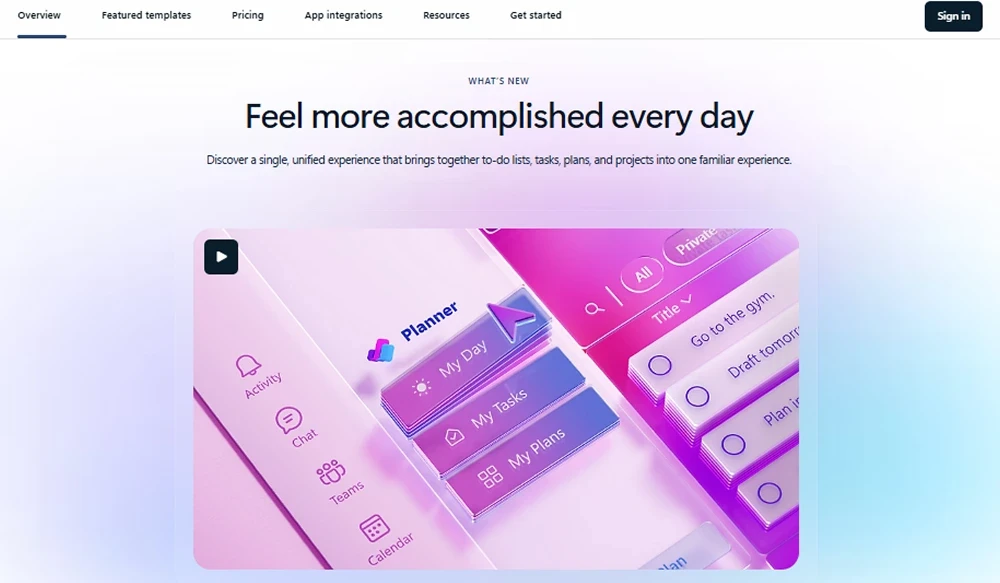
- Roadmap Tool: Aggregate items from multiple projects for strategic alignment.
Workflow & UX
Microsoft Project’s updated interface feels fluid, familiar to Microsoft 365 users, and highly modular. The experience includes:
- Drag-and-drop task planning on boards/timelines
- In-app guidance for setting dependencies and linking tasks
- Teams integration ensures centralized access and real-time updates
- Copilot textbox simplifies query-based scheduling
- Accessibility enhancements meet WCAG 2.1 level AA compliance
Whether you're managing a small agency sprint or an enterprise program, the user journey stays smooth—thanks to focused UX and automation tools.
Microsoft Project Pricing Analysis & Value Metrics
| Plan | Monthly Price (Per User) | Inclusions |
|---|---|---|
| Project Plan 1 | $10 | Web-only access, task planning, simple reports |
| Project Plan 3 | $30 | Desktop + web, scheduling tools, project templates, Teams integration |
| Project Plan 5 | $55 | Advanced analytics, resource capacity management, portfolio visibility |
Value Callout: Plan 3 hits the sweet spot for most mid-sized businesses, unlocking essential integrations and desktop utility. Power users or PMOs benefit from Plan 5’s portfolio features.
Competitive Landscape
| Tool | Strength | Ideal Use Case |
|---|---|---|
| Smartsheet | Grid-based flexibility; forms; automation | Cross-departmental workflows and marketing ops |
| Asana | UX simplicity | Agile and small team sprints |
| Wrike | Built-in time tracking | Agencies with client billing |
| ClickUp | All-in-one task hub | Freelancers and startups |
| Microsoft Project | Enterprise-grade portfolio capabilities | Mid- to large-sized organizations using Microsoft 365 |
Common Use Cases
Microsoft Project is built for flexibility. In 2026, users apply it across:
- IT project delivery: systems upgrades, migrations, and agile releases
- Marketing campaign timelines: asset production through post-mortem
- Construction and engineering: timeline planning, subcontractor accountability
- PMOs: portfolio dashboards, governance workflows, reporting
- Consulting agencies: client program delivery and resource management
Microsoft Project Integrations
Integration with the Microsoft ecosystem is the central advantage. Supported connectors include:
- Teams: in-app project creation and workflow sync
- Excel/Power BI: reporting dashboards and custom visualizations
- Outlook: task and deadline reminders embedded in calendar
- Planner & To Do: sync tasks across personal and project space
- Dynamics 365: CRM-project linkages for professional services
Pros & Cons
Pros
- Best-in-class MS 365 integrations
- Creative flexibility with work views (Grid, Board, Timeline)
- Highly scalable portfolio tracking
- Copilot accelerates scheduling and workload planning
- Enterprise-grade security and SLA compliance
Cons
- Plan 5 pricing may deter smaller teams
- Steeper learning curve for less technical users
- Limited offline functionality without desktop client
Pro Tip: Teams users can pin Microsoft Project tabs into specific channels to collaborate directly on shared timelines.
Final Thoughts
If you already live inside Microsoft 365, Microsoft Project is the natural extensible solution toward structured work and robust planning. Its 2025 value shines brightest in collaborative, enterprise-centric environments. While not as nimble or cost-effective for freelancers, it is a powerhouse for PMOs, consultants, and large teams who prioritize scheduling accuracy, governance, and strategic alignment.
Microsoft Project FAQ
Can you use Microsoft Project without having Microsoft 365?
Yes, you can license Microsoft Project separately, but many features require a Microsoft 365 tenant to unlock full collaboration and integration capabilities.
What is the difference between Project Plan 1 and Plan 3?
Plan 1 is web-only with core task management, while Plan 3 adds desktop access, scheduling tools, project templates, and resource planning features.
Does Microsoft Project support agile methodologies in 2026?
Yes, Microsoft Project supports boards, sprints, and task hierarchies suitable for agile and hybrid workstreams.
Is there a free version of Microsoft Project?
Microsoft Project does not offer a free version, but many organizations bundle it within Microsoft 365 E5 packages or volume licenses.
How does Microsoft Project compare to Excel for project management?
Excel lacks task linking, scheduling, and workload balancing. Microsoft Project automates dependencies and timelines, providing scalable Gantt charts and resource insights.